
Animation 288: Exploring Incircle, Ellipse Reflection, and Functions
Loading the math board and drawing, please wait…
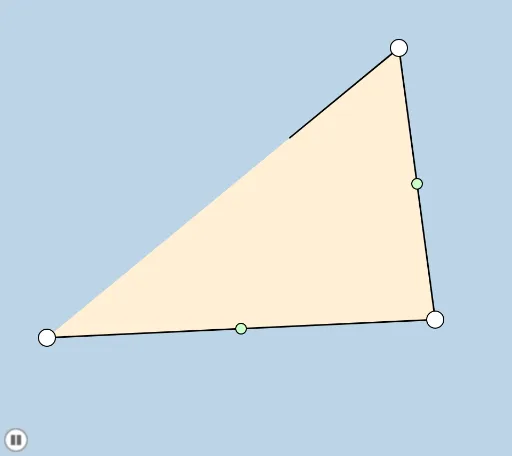
① This example demonstrates a dynamic animation that combines a triangle's incircle, ellipse reflection, piecewise functions, and power functions in a single geometric visualization. ② Core mathematical concepts include incircle, triangle, ellipse reflection, optimization problems, piecewise functions, power functions, and geometric transformations such as rotation, dilation, and reflection. ③ Construction highlights: based on the construction summary, the GeoGebra commands used include Midpoint, Segment, Dilate, Rotate, Polygon, Angle, Ray, Intersect, OrthogonalLine, Min, Circle, CircleSector, CircleArc, and Line, with objects like points A, B, C, lines, circles, and a button for interactive control. ④ Suitable for high school and above, this example is ideal for teaching geometry and functions, exploring optimization dynamically, and serving as material for mathematical modeling or competition preparation.
GeoGebra Commands & Parameters
Midpoint(A, B) → DMidpoint(B, C) → EMidpoint(C, A) → FSegment(A, B) → aSegment(B, C) → bSegment(C, A) → cSegment(C, D) → dSegment(A, E) → eSegment(B, F) → fDilate(A, If[0 < g ≤ 1, 1 - g, 0], D) → A'Segment(A, A') → hRotate(A, If[1 < g ≤ 2, ((-(g - 1)) * π), (-π)], D) → A'_1Rotate(A', If[1 < g ≤ 2, ((g - 1) * π), 3.141592653589793], D) → A''Segment(A'_1, A'') → h'Dilate(B, If[2 < g ≤ 3, 3 - g, 0], E) → B'Segment(B, B') → iRotate(B, If[3 < g ≤ 4, ((-(g - 3)) * π), (-π)], E) → B'_1Rotate(B', If[3 < g ≤ 4, ((g - 3) * π), 3.141592653589793], E) → B''Segment(B'_1, B'') → i'Dilate(C, If[4 < g ≤ 5, 5 - g, 0], F) → C'Segment(C, C') → jRotate(C, If[5 < g ≤ 6, ((-(g - 5)) * π), (-π)], F) → C'_1Rotate(C', If[5 < g ≤ 6, ((g - 5) * π), 3.141592653589793], F) → C''Segment(C'_1, C'') → j'Polygon(A, B, C) → poly1, c_1, a_1, b_1Angle(B, A, C) → αAngle(A, C, B) → βAngle(C, B, A) → γRotate(B, α / 2, A) → B'_2Angle(B, A, B'_2) → δRay(A, B'_2) → kRotate(C, γ / 2, B) → C'_3Angle(C, B, C'_3) → εRay(B, C'_3) → lIntersect(k, l) → OSegment(C, B) → mSegment(C, A) → nIntersect(m, k) → PIntersect(l, n) → QSegment(A, B) → sOrthogonalLine(O, s) → tOrthogonalLine(O, m) → f_1Segment(C, A) → g_1OrthogonalLine(O, g_1) → h_1Intersect(h_1, g_1) → RIntersect(t, s) → SIntersect(f_1, m) → TDilate(O, If[10 < g ≤ 11, 11 - g, 0], S) → O'Segment(O, O') → i_1Min({g_1, s, m}) → oCircle(A, (0.25 * o)) → d_1Circle(B, (0.25 * o)) → e_1Intersect(d_1, g_1) → U,Intersect(d_1, s) → V,Intersect(e_1, m) → W,Intersect(e_1, s) → Z,Intersect(d_1, k) → A_1,Intersect(e_1, l) → B_1,CircleSector(A, V, A_1) → k_1CircleSector(B, W, B_1) → p_1Dilate(A, If[6 < g ≤ 7, 7 - g, 0], O) → A'_3Segment(A, A'_3) → j_1Dilate(B, If[7 < g ≤ 8, 8 - g, 0], O) → B'_3Segment(B, B'_3) → pRotate(k_1, If[8 < g ≤ 9, ((g - 8) * δ), δ], A) → qRotate(p_1, If[9 < g ≤ 10, ((g - 9) * ε), ε], B) → rAngle(O, S, A) → ζRotate(S, If[11 < g ≤ 13, ((g - 11) * π), (2 * π)], O) → S'CircleArc(O, S, S') → q_1Circle(O, S) → r_1Segment(F, E) → l_1Line(C, S) → m_1Intersect(m_1, l_1) → GDilate(C, If[13 < g ≤ 14, 14 - g, 0], S) → C'_2Segment(C, C'_2) → n_1Dilate(E, If[14 < g ≤ 15, 15 - g, 0], G) → E'Segment(E, E') → s_1Dilate(G, If[15 < g ≤ 16, 16 - g, 0], F) → G'Segment(G, G') → t_1Dilate(D, If[16 < g ≤ 17, 17 - g, 0], O) → D'Segment(D, D') → f_2Dilate(O, If[17 < g ≤ 18, 18 - g, 0], G) → O'_1Segment(O, O'_1) → g_2
AI Drawing Prompt Reference
Draw a triangle with its incircle and incenter. From the incenter, drop perpendiculars to the three sides, marking the feet. Using the midpoints of the triangle's sides as centers, rotate and dilate the vertices sequentially to create sweeping arc paths. A slider controls the animation: in different ranges, one vertex first shrinks along its median, then rotates half a circle around the midpoint, followed by the next vertex doing the same, and finally the third. The incircle is shown with sectors and arcs, combining geometric transformations with functional dynamics.
The prompt above was compiled from the original drawing commands and is for reference only.