
Drawing vs. Construction: The Drag Test
Loading the math board and drawing, please wait…
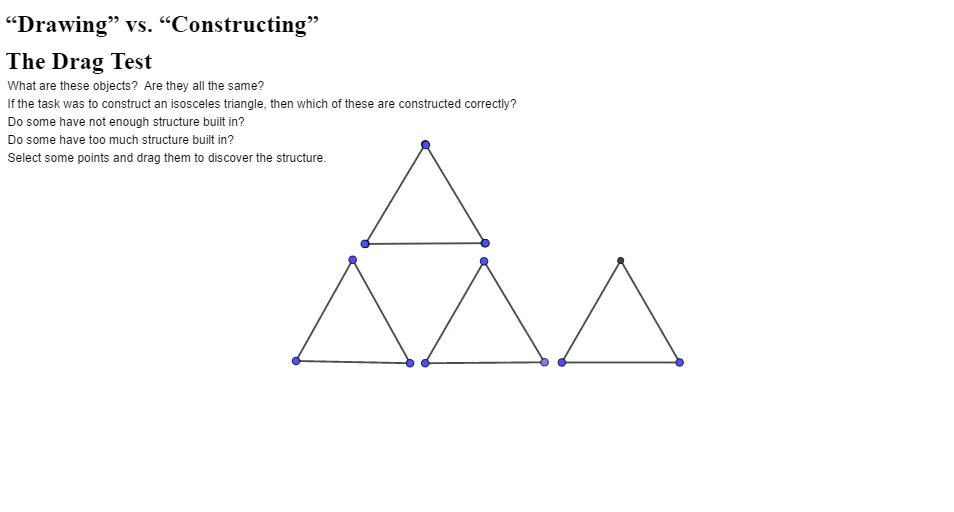
This GeoGebra example demonstrates—via an interactive “drag test”—the difference between merely drawing a geometric figure and using a rigorous geometric construction. When key points are dragged, a constructed figure should preserve intended constraints (e.g., triangle properties and circle-related conditions) while an informal drawing may break those properties. The core math ideas include triangle geometry (such as equilateral/isosceles triangle relationships), circumcircle (circumscribed circle) constraints, and how geometric dependencies define invariants under motion. Construction highlights from the build summary: the work creates points (e.g., A, B and several auxiliary/intersection points), connects them with segments, defines circles, and uses intersections (Intersect) to compute critical points produced by circle/line (or circle/circle) relationships. It is well-suited for secondary school geometry, dynamic-geometry exploration, and lessons on verifying construction correctness in interactive math tools.
GeoGebra Commands & Parameters
Segment(A, B) → fSegment(B, C) → gSegment(C, A) → hSegment(D, E) → iSegment(F, G) → jSegment(H, I) → kCircle(J, K) → cSegment(K, J) → lPoint(c) → LSegment(J, L) → mSegment(L, K) → nCircle(M, N) → dCircle(N, M) → eSegment(M, N) → pIntersect(d, e, 1) → OSegment(O, N) → qSegment(O, M) → r
AI Drawing Prompt Reference
Draw a triangle with two circles: one passing through the triangle's vertices and another tangent to one of its sides. Demonstrate how dragging the vertices of the triangle shows the difference between a constructed figure that preserves geometric properties and an informal drawing that might not. Use a slider to adjust parameters and illustrate dynamic geometric relationships and invariants.
The prompt above was compiled from the original drawing commands and is for reference only.