
Animating Ellipses
Loading the math board and drawing, please wait…
In collections
Learn Geometry
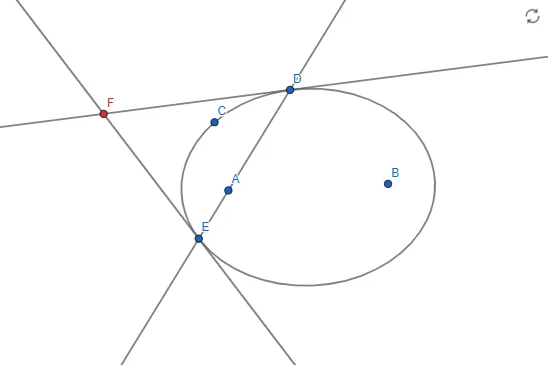
This example demonstrates how to animate ellipses with GeoGebra. Using basic objects like points, lines, intersections, and tangents, it shows the dynamic changes of ellipses. Suitable for high school math education, it utilizes commands such as Ellipse, Point, Line, Intersect, and Tangent.
GeoGebra Commands & Parameters
Ellipse(A, B, C) → cPoint(c) → DLine(A, D) → fIntersect(c, f, 2) → ETangent(D, c) → g,Tangent(E, c) → h,Intersect(g, h) → F
AI Drawing Prompt Reference
Draw an animating ellipse showing dynamic changes through points and lines. Start by creating an ellipse, then place a point on it and connect this point to another point on the ellipse to form a line. Next, find the two intersection points of the ellipse with this line. Draw tangent lines from the point on the ellipse and one of the intersection points, and finally locate the intersection of these two tangent lines to illustrate the dynamic transformation of the ellipse.
The prompt above was compiled from the original drawing commands and is for reference only.