
Angles Fan Demo
Loading the math board and drawing, please wait…
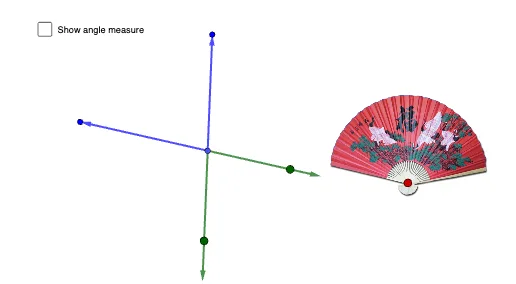
This example demonstrates the dynamic construction of an angle fan to illustrate the relationship between angles and arc lengths. It involves core mathematical concepts such as angles, circles, vectors, and geometric constructions. The construction uses commands like Circle, Point, Ray, Line, Intersect, OrthogonalLine, Segment, Vector, Mirror, CircleSector, and Angle in GeoGebra. It is suitable for high school mathematics teaching, explaining the calculation methods for angles, arc lengths, and sector areas.
GeoGebra Commands & Parameters
Circle(A, 4) → cPoint(c) → FRay(A, F) → gLine(A, F) → iIntersect(c, i, 2) → JIntersect(c, xAxis, 1) → KPoint(c) → LLine(A, xAxis) → jOrthogonalLine(A, j) → kPoint(k) → MPoint(k) → NSegment(M, N) → lIntersect(c, j, 2) → OIntersect(c, j, 1) → PSegment(O, P) → mCircle(Z, 2.75) → c_1Point(c_1) → A_1Segment(Z, A_1) → g_1Ray(A_1, Z) → sIntersect(c_1, s, 2) → VOrthogonalLine(Z, s) → nLine(A_1, n) → qPoint(n) → COrthogonalLine(C, n) → pIntersect(q, p) → QOrthogonalLine(V, s) → rIntersect(p, r) → RCircle(A, 4.5) → dPoint(d) → BLine(A, B) → fPoint(c) → ELine(A, E) → hVector(A, B) → uVector(A, E) → vIntersect(d, h, 1) → HVector(A, H) → bIntersect(c, f) → G, IVector(A, G) → wPoint(v) → SMirror(S, A) → S'CircleSector(A, S, B) → eCircleSector(A, S', G) → tAngle(S, A, B) → αPoint(b) → TPoint(w) → U