
Angles at a Point
Loading the math board and drawing, please wait…
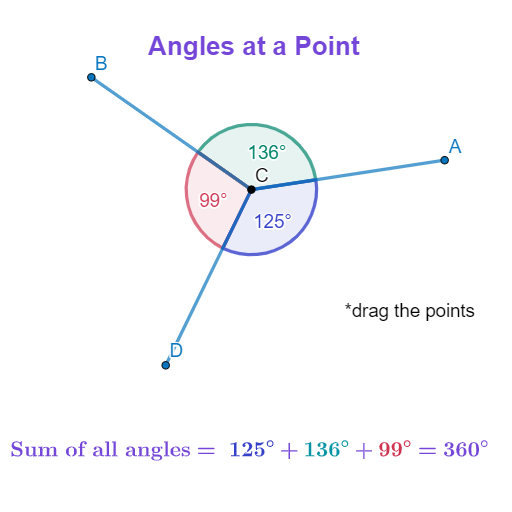
This example demonstrates the concept of angles at a point and their sum being 360 degrees using a circle centered at the common endpoint. It involves core math concepts like angle measurement, circle properties, and geometric construction. GeoGebra commands used include Point, Segment, and Angle to create points and angles. Suitable for middle school and high school students learning geometry and circle properties.
GeoGebra Commands & Parameters
Point(Circle[C, 4]) → BSegment(C, B) → aPoint(Circle[C, 4]) → ASegment(C, A) → bPoint(Circle[C, 4]) → DSegment(C, D) → cAngle(B, C, A) → αAngle(A, C, D) → βAngle(D, C, B) → γAngle(A, C, B) → β_{1}Angle(B, C, D) → γ_{1}Angle(D, C, A) → α_{1}
AI Drawing Prompt Reference
Draw a circle centered at point C and select three points A, B, and D on the circle. Connect point C to these three points to form three line segments. Then measure the four angles formed by these segments, ensuring their sum is close to 360 degrees, to demonstrate the relationship between angles and the angles around a point.
The prompt above was compiled from the original drawing commands and is for reference only.