
Angle Estimation
Loading the math board and drawing, please wait…
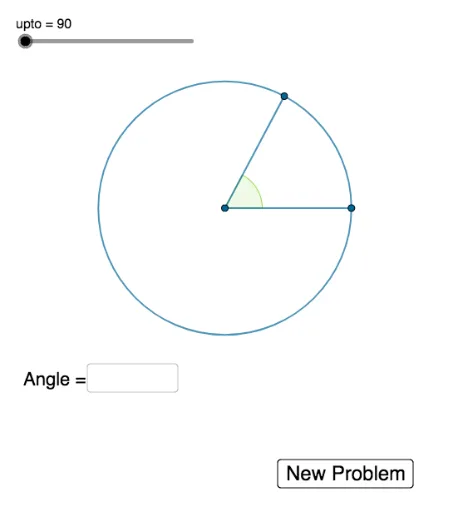
This example demonstrates how to estimate angles dynamically through construction and measurement. It involves core math concepts like angle measurement, linear functions, polygon construction, indefinite integral, and probability statistics. Key GeoGebra commands and objects used include Random (for random point generation), Intersect (for intersection calculations), Rotate (for rotation), Angle (for angle measurement), Segment (for line segment drawing), and Textfield (for text display), as outlined in the construction summary. It is suitable for high school mathematics teaching, focusing on geometric intuition and probability applications.
GeoGebra Commands & Parameters
Random(1, upto) → thetaIntersect(c, xAxis, 2) → AIntersect(xAxis, yAxis) → BRotate(A, theta°, B) → A'Angle(A, B, A') → αSegment(B, A') → fSegment(B, A) → gTextfield(empty) → InputBox1
AI Drawing Prompt Reference
Draw a dynamic angle estimation diagram with a random point, the intersection of the x-axis and y-axis, and another point obtained by rotating the random point around the origin. Measure the angle between the origin and these two points, and draw line segments connecting the origin to each of the points. Also draw a line segment connecting the origin to the original random point. Finally, display the measured angle value.
The prompt above was compiled from the original drawing commands and is for reference only.