
Angle Bisectors in a Parallelogram
Loading the math board and drawing, please wait…
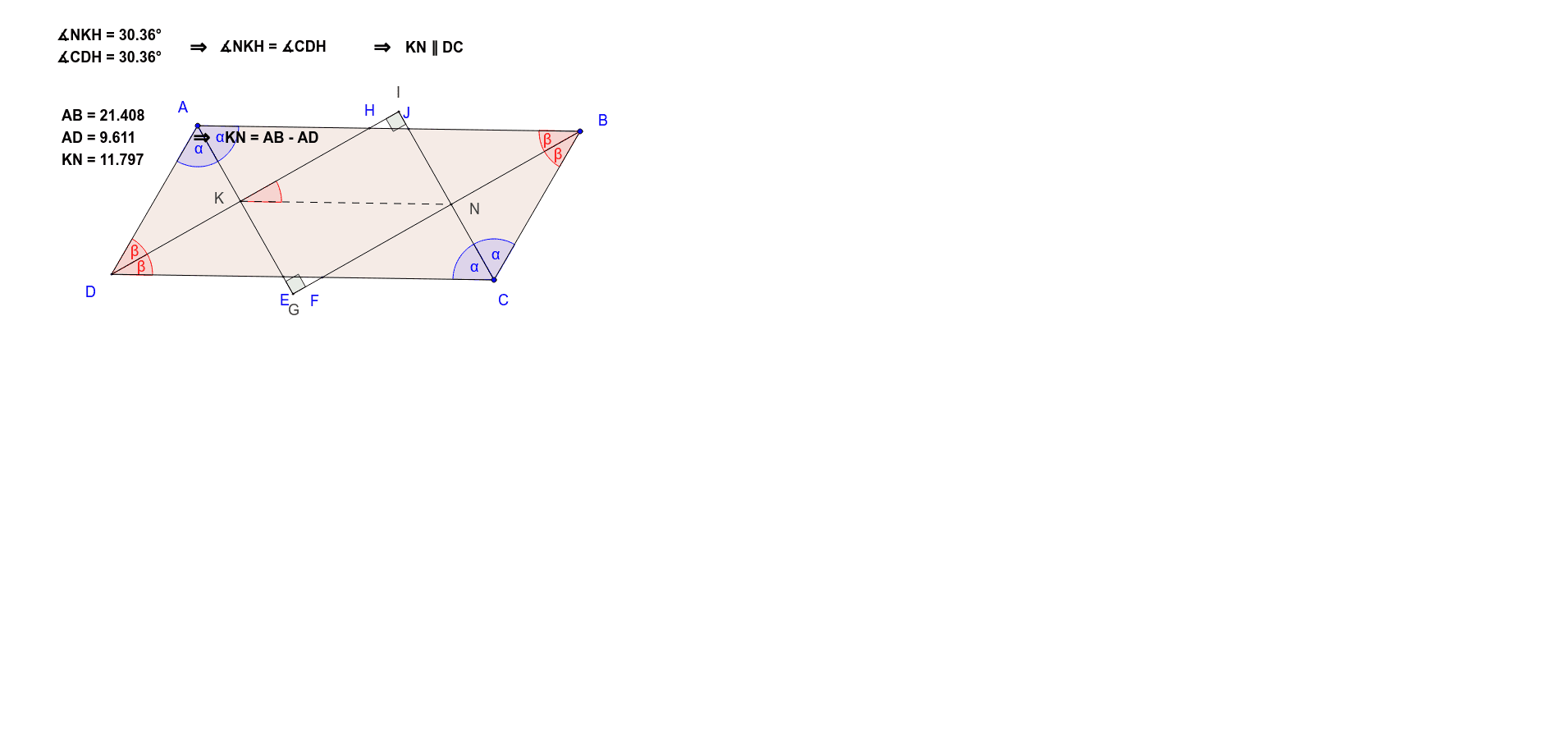
This example demonstrates the properties and construction of angle bisectors within a parallelogram. It involves core mathematical concepts such as angle bisectors, parallelogram properties, vectors, and area. The construction utilizes GeoGebra commands like Polygon, AngularBisector, Intersect, Segment, and Angle. Suitable for high school mathematics instruction and geometric construction practice.
GeoGebra Commands & Parameters
Polygon(A, B, C, D) → poly1, a, b, c, dAngularBisector(D, A, B) → fAngularBisector(B, C, D) → gAngularBisector(C, D, A) → hAngularBisector(A, B, C) → iIntersect(f, c) → EIntersect(i, c) → FIntersect(h, a) → HIntersect(g, a) → JSegment(D, H) → jSegment(J, C) → kSegment(F, B) → lSegment(E, A) → mAngle(H, D, A) → αAngle(C, D, H) → βAngle(A, B, F) → γAngle(F, B, C) → δIntersect(j, k) → IIntersect(l, m) → GAngle(B, G, A) → εAngle(D, I, C) → ζIntersect(j, m) → KIntersect(k, l) → NSegment(K, N) → nAngle(N, K, H) → ηAngle(D, A, E) → θAngle(E, A, B) → ιAngle(B, C, J) → κAngle(J, C, D) → λIntersect(f, i) → LAngle(B, L, A) → μSegment(E, L) → pSegment(L, F) → qIntersect(g, h) → MAngle(D, M, C) → νSegment(H, M) → rSegment(M, J) → s
AI Drawing Prompt Reference
Draw a parallelogram ABCD, then construct the angle bisectors of each angle and mark their intersections E, F, H, and J. Draw line segments from D to H, J to C, F to B, and E to A, and label angles α, β, γ, and δ. Finally, draw line segments K, N, I, and G, and label angles η, θ, ι, and κ.
The prompt above was compiled from the original drawing commands and is for reference only.