
Angle Bisectors and Special Segments in a Triangle
Loading the math board and drawing, please wait…
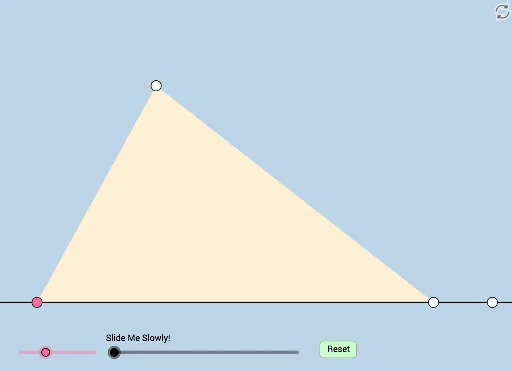
This example dynamically illustrates geometric phenomena when two angle bisectors and other special segments are drawn in a triangle. Key mathematical concepts include triangles, circles, vectors, and geometric construction. GeoGebra commands used include Rotate, Ray, Point, Segment, Angle, Circle, Intersect, Polygon, Transform, etc. Suitable for high school mathematics education and learning.
GeoGebra Commands & Parameters
Rotate(B, (a * π / 180), A) → B'Ray(A, B') → gPoint(g) → CSegment(A, C) → jRay(A, B) → fPoint(f) → DSegment(C, D) → hSegment(A, D) → iMin({i, j, h}) → bAngle(B, A, B') → αCircle(D, (0.2 * b)) → dCircle(C, 4) → cIntersect(c, g, 2) → EIntersect(d, f, 2) → FRay(D, F) → kCircle(C, (0.2 * b)) → eCircle(D, (0.15 * b)) → pAngle(F, D, C) → βAngle(D, C, E) → γRotate(F, β / 2, D) → F'Angle(F, D, F') → δRotate(D, γ / 2, C) → D'Angle(D, C, D') → εRay(C, D') → mRay(D, F') → nIntersect(e, m, 1) → GIntersect(e, h, 1) → HIntersect(p, h, 1) → IPolygon(A, D, C) → poly1, c_2, a_1, d_2Dilate(A, If[0 < o ≤ 1, 1 - o, 0], D) → A'Dilate(A, If[0 < o ≤ 1, 1 - o, 0], C) → A'_1Segment(A, A') → k_1Min(c_2, d_2) → wCircle(A, (0.15 * w)) → e_2Segment(A, C) → m_2Intersect(e_2, m_2) → S,Segment(A, D) → n_2Intersect(e_2, n_2) → T, QIntersect(d, h, 1) → UIntersect(e, h) → W, PAngle(A, C, D) → λAngle(C, D, A) → κRotate(A, λ / 2, C) → A'_2Angle(A, C, A'_2) → ιRay(C, A'_2) → t_1Rotate(C, κ / 2, D) → C'_1Angle(C, D, C'_1) → μ_1Ray(D, C'_1) → f_2Intersect(d, f_2) → A_1,CircleSector(D, U, A_1) → r_2Intersect(t_1, f_2) → ZOrthogonalLine(Z, k_1) → s_2Intersect(s_2, k_1) → B_1Intersect(k_1, t_1) → D_1Circle(A, (0.2 * b)) → q_2Angle(D, A, C) → μRotate(D, μ / 2, A) → D'_2Angle(D, A, D'_2) → νRay(A, D'_2) → a_2Intersect(q_2, a_2) → V,Intersect(q_2, k_1) → E_1, RCircleSector(A, E_1, V) → p_2Dilate(D, If[1 < o ≤ 2, 2 - o, 0], Z) → D'_3Dilate(A, If[1 < o ≤ 2, 2 - o, 0], Z) → A'_3Segment(A, A'_3) → b_2Segment(D, D'_3) → f_3Rotate(r_2, If[2.5 < o ≤ 3.5, ((o - 2.5) * κ / 2), κ / 2], D) → c_3Rotate(p_2, If[3.5 < o ≤ 4.5, ((o - 3.5) * μ / 2), μ / 2], A) → d_3Dilate(Z, If[5 < o ≤ 6, 6 - o, 0], B_1) → Z'_1Segment(C, D_1) → i_3Intersect(e, i_3) → G_1,Dilate(C, If[9.5 < o ≤ 10.5, 10.5 - o, 0], Z) → C'_2Polygon(A, Z, C) → poly2, c_4, a_3, z_1Line(Z, D) → l_2Line(A, Z) → j_3OrthogonalLine(C, j_3) → l_3Intersect(j_3, l_3) → I_1OrthogonalLine(C, l_2) → m_3Intersect(l_2, m_3) → J_1Line(C, D) → n_3OrthogonalLine(Z, n_3) → q_3Intersect(q_3, n_3) → K_1Angle(D, J_1, C) → σAngle(C, I_1, A) → τAngle(C, K_1, Z) → υDilate(Z, If[4.5 < o ≤ 5.5, 5.5 - o, 0], I_1) → Z'_2Dilate(Z, If[4.5 < o ≤ 5.5, 5.5 - o, 0], J_1) → Z'_3Segment(Z, Z'_2) → qSegment(Z, Z'_3) → rDilate(C, If[4.5 < o ≤ 5.5, 5.5 - o, 0], J_1) → C'_4Dilate(C, If[4.5 < o ≤ 5.5, 5.5 - o, 0], I_1) → C'_5Segment(C, C'_4) → m_1Segment(C, C'_5) → n_1Dilate(Z, If[5.5 < o ≤ 6.5, 6.5 - o, 0], K_1) → Z'_4Segment(Z, Z'_4) → g_3LineBisector(J_1, I_1) → p_1LineBisector(I_1, K_1) → e_1Intersect(p_1, e_1) → M_1Dilate(J_1, If[6.5 < o ≤ 7.5, 7.5 - o, 0], I_1) → N_1Segment(J_1, N_1) → h_3Line(J_1, I_1) → k_3Segment(J_1, I_1) → r_3Segment(C, J_1) → t_3Circle(J_1, (0.2 * Min[t_3, r_3])) → s_3Line(C, J_1) → b_3Line(D, J_1) → f_4Intersect(s_3, k_3) → O_1, P_1Angle(I_1, J_1, C) → ζLine(C, J_1) → g_4Line(A, D) → h_4Intersect(h_4, g_4) → Q_1Dilate(J_1, If[8 < o ≤ 9, 9 - o, 0], Q_1) → R_1Segment(J_1, R_1) → i_4Rotate(P_1, If[8 < o ≤ 9, ((o - 8) * ζ), ζ], J_1) → NCircleSector(J_1, P_1, N) → c_1Dilate(J_1, If[9 < o ≤ 10, 10 - o, 0], Q_1) → OVector(J_1, O) → v_1Translate(c_1, v_1) → d_1Dilate(I_1, If[10 < o ≤ 11, 11 - o, 0], K_1) → S_1Vector(I_1, S_1) → w_1Translate(J_1, w_1) → T_1Translate(N_1, w_1) → U_1Segment(T_1, U_1) → h_1Line(K_1, h_3) → i_1Circle(K_1, 10) → s_1Intersect(s_1, i_1, 1) → V_1Angle(C, K_1, V_1) → ξRotate(T_1, If[11 < o ≤ 12, ((-(o - 11)) * ξ), (-ξ)], K_1) → W_1Rotate(U_1, If[11 < o ≤ 12, ((-(o - 11)) * ξ), (-ξ)], K_1) → Z_1Segment(W_1, Z_1) → j_1Dilate(M_1, If[13 < o ≤ 14, 14 - o, 0], J_1) → A_2Circle(M_1, A_2) → g_2
AI Drawing Prompt Reference
Draw a triangle with a base segment. From one endpoint of the base, draw a ray and pick a point on it as the third vertex, connecting it to both base endpoints. Inside the triangle, draw angle bisectors from two vertices and mark their intersections with opposite sides. Using these intersection points as centers, draw small circles with radii proportional to a fraction of the triangle's side lengths. These circles intersect the angle bisectors and sides, creating multiple points. Connect these points to form new segments and smaller triangles. Also, at vertices, draw angle bisectors and rotate relevant points to illustrate angle bisector properties. The final figure includes triangles, circles, rays, segments, and angle bisectors, demonstrating geometric construction.
The prompt above was compiled from the original drawing commands and is for reference only.