
Angle Between Two Chords: What Do You See?
Loading the math board and drawing, please wait…
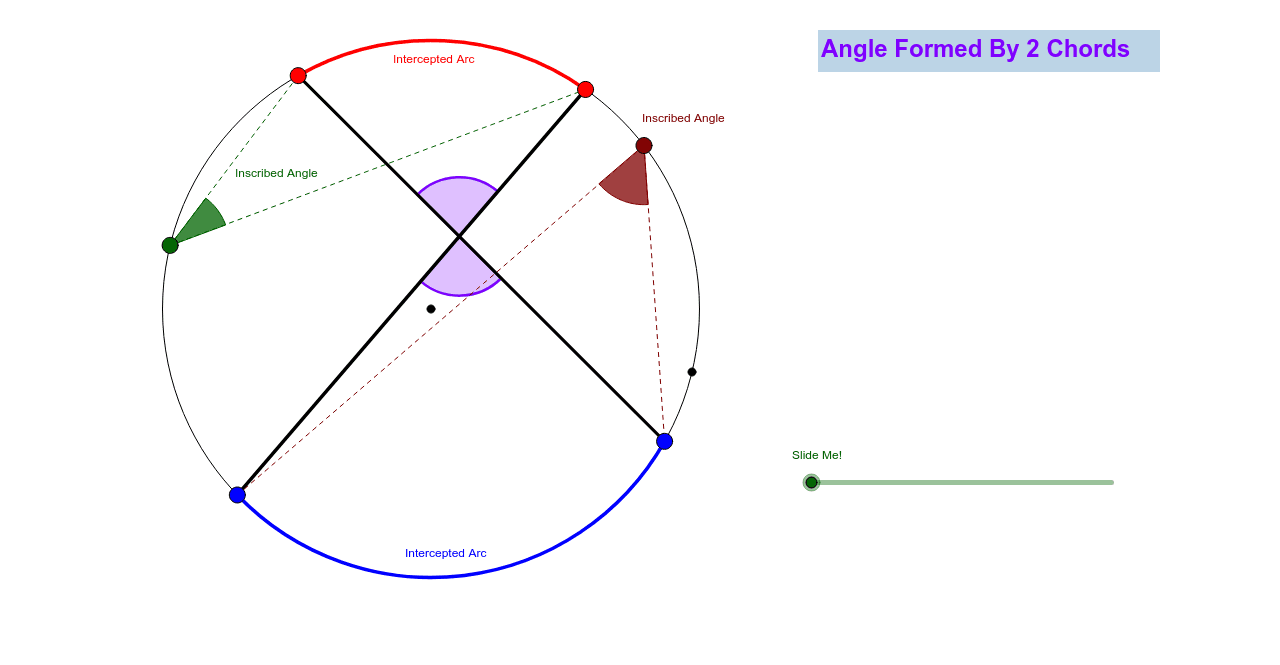
This applet helps students intuitively understand the properties of the angle formed by two chords without using words or angle measures. It demonstrates the construction of two chords and their angle, utilizing properties of circles. Using GeoGebra commands such as Circle, Point, Line, Intersect, students can explore the relationship between angles and chord lengths. Suitable for middle school and above students learning geometry.
GeoGebra Commands & Parameters
Circle(A, B) → cPoint(c) → CLine(A, C) → aIntersect(c, a) → D, EPoint(c) → JPoint(c) → KPoint(c) → LPoint(c) → MSegment(J, K) → fSegment(M, L) → gIntersect(f, g) → NCircleArc(A, M, J) → hCircleArc(A, L, K) → kPoint(c) → FPoint(c) → GSegment(F, J) → bSegment(F, M) → dAngle(M, F, J) → αAngle(L, G, K) → βSegment(G, L) → eSegment(G, K) → iAngle(L, N, K) → γCircle(F, 1.5) → pCircle(G, 1.5) → qCircle(N, 1.5) → rIntersect(p, b) → H,Intersect(p, d) → I,Intersect(r, g) → O, PIntersect(r, f) → Q, RIntersect(q, i, 1) → SIntersect(q, e, 1) → TVector(F, N) → uVector(G, N) → vCircleSector(F, I, H) → sCircleSector(G, T, S) → tCircleSector(N, P, R) → c_1Dilate(F, If[0 ≤ j ≤ 1, 1 - j, 0], N) → F'Dilate(G, If[0 < j ≤ 2, 2 - j, 0], N) → G'Vector(F, F') → wVector(G, G') → lTranslate(s, w) → s'Translate(t, l) → t'Translate(t, l) → t'_1Line(F, f) → mIntersect(p, m) → U, VAngle(H, F, V) → δRotate(s', If[0 < j ≤ 1, (j * δ), δ], F') → s''Line(G, g) → nIntersect(q, n) → W, ZAngle(T, G, Z) → εRotate(t'_1, If[1 < j ≤ 2, ((j - 1) * ε), ε], G') → d_1CircleSector(N, O, Q) → e_1CircleSector(N, P, R) → f_1
AI Drawing Prompt Reference
Draw a circle and mark two points on it. Connect these points to the center to form two intersecting chords. Take three more points on the circle, connect two of them with a line segment, and find the intersection points with the previous chords. Connect these intersection points to form a new shape. Draw arcs between the center and two other points on the circle, and find their intersections with the chords. Finally, add small circles around the intersection points and rotate some parts to illustrate the angle relationships.
The prompt above was compiled from the original drawing commands and is for reference only.