
Alternate Angle Bisector Construction by Tim Brzezinski
Loading the math board and drawing, please wait…
In collections
Congruence (CO) Cluster
Congruence (Vol 2)
CCSS High School: Geometry (Congruence) Volume 2
CCSS High School: Geometry (Congruence) Volume 2
CCSS High School: Geometry (Congruence) Volume 2
Geometry (Congruence) Volume 2
CCSS High School: Geometry (Congruence) Volume 2
CCSS High School: Geometry (Congruence) Volume 2
CCSS High School: Geometry (Congruence) Volume 2
CCSS High School: Geometry (Congruence) Volume 2
CCSS High School: Geometry (Congruence) Volume 2
CCSS High School: Geometry (Congruence) Volume 2
CCSS High School: Geometry (Congruence) Volume 2
Gail LeBlancCCSS High School: Geometry (Congruence) Volume 2
CCSS High School: Geometry (Congruence) Volume 2
Constructions (Dynamic Illustrations)
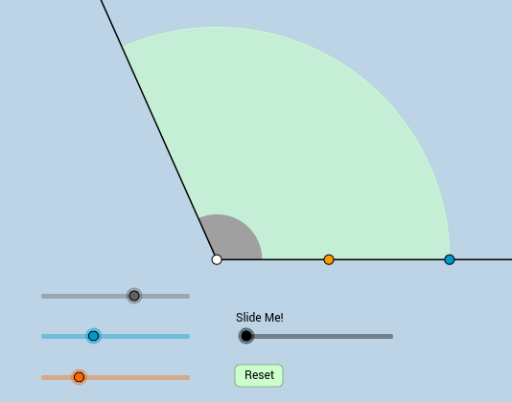
This example demonstrates the geometric construction of an angle bisector using an alternative compass-and-straightedge method. It involves core mathematical concepts such as angles, geometric constructions, and compass-and-straightedge techniques. Key GeoGebra commands and objects used in the construction include Intersect, Ray, Rotate, Angle, Circle, CircleSector, Segment, Point, CircleArc, and Dilate. This is suitable for high school mathematics instruction on geometric constructions, showcasing the integration of traditional geometry with modern technology.
GeoGebra Commands & Parameters
Intersect(xAxis, yAxis) → ARay(A, B) → fRotate(B, α, A) → B'Angle(B, A, B') → βRay(A, B') → gCircle(A, 1) → cRotate(B, α / 2, A) → B'_1Angle(B, A, B'_1) → γRay(A, B'_1) → hIntersect(c, h, 1) → CIntersect(c, f, 1) → DCircleSector(A, D, C) → dIntersect(c, g, 1) → ECircleSector(A, D, E) → eCircle(A, a) → kCircle(A, b) → pIntersect(k, f, 1) → FIntersect(k, g, 1) → GIntersect(p, f, 1) → HIntersect(p, g, 1) → ISegment(F, I) → iSegment(H, G) → jIntersect(h, i) → JPoint(h) → KRay(J, K) → lCircleSector(A, H, I) → qRotate(F, If[0 < m ≤ 1, (m * α), α], A) → F'CircleArc(A, F, F') → rRotate(H, If[1 < m ≤ 2, ((m - 1) * α), α], A) → H'CircleArc(A, H, H') → sDilate(F, If[2 < m ≤ 3, 3 - m, 0], I) → F'_1Segment(F, F'_1) → nDilate(H, If[3 < m ≤ 4, 4 - m, 0], G) → H'_1Segment(H, H'_1) → tDilate(A, If[5 < m ≤ 6, 6 - m, 0], J) → A'Segment(A, A') → f_1Rotate(d, If[7 < m ≤ 8, ((m - 7) * α / 2), α / 2], A) → d'
AI Drawing Prompt Reference
Draw a geometric construction of an angle bisector. Start with a ray from a point, rotate another ray to form a given angle. Use a unit circle centered at the vertex to intersect both sides, creating sectors. Then rotate a ray by half the angle to form the bisector, intersecting the circle. Use two circles of different radii to intersect the sides, connect corresponding points to form two segments whose intersection lies on the bisector. From that intersection, draw a ray, and add dynamic arcs and segments to illustrate the step-by-step construction.
The prompt above was compiled from the original drawing commands and is for reference only.