
Algebra Balance Scales (Interactive Equation Solving)
Loading the math board and drawing, please wait…
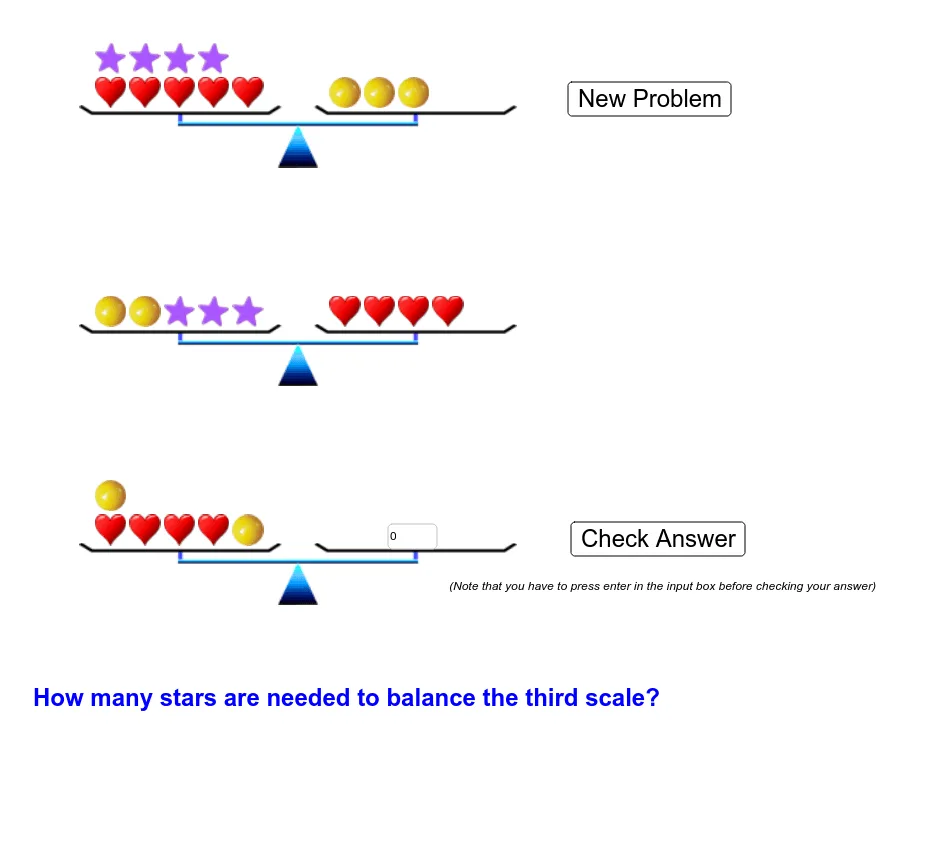
① This interactive GeoGebra example uses a visual balance scale model to demonstrate how both sides of an algebraic equation remain balanced, aiding understanding of equality properties and solving linear equations. ② Core math concepts include linear equations, properties of equality, variables and constants, symmetry of algebraic operations, and verification of solutions. ③ Construction highlights: The Textfield command creates input fields, while multiple buttons (button1) and objects (answer, a1, a2, a3, b1, b2, b3, c1, c2, c3) control weights (Ball11, Ball12, etc.) and images (Scale1pic, Ball1pic) on both sides; sliders (scalewidth, scaleheight) adjust the scale size for dynamic balance feedback. ④ Suitable for middle school to high school students learning algebra equations, and for teachers demonstrating the transition from concrete manipulation to symbolic reasoning.
GeoGebra Commands & Parameters
Textfield(userAnswer) → answerBox