
Addition of Fraction
Loading the math board and drawing, please wait…
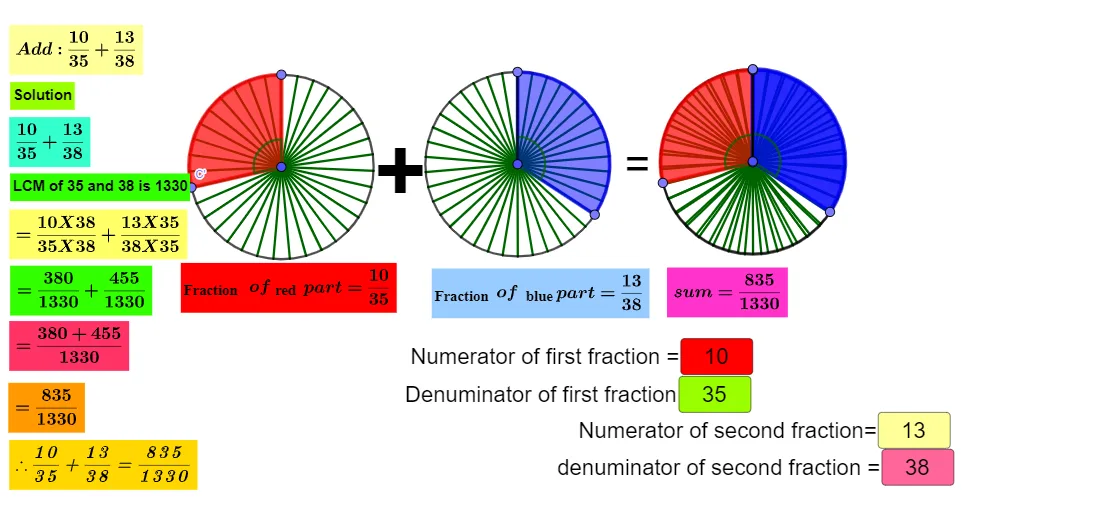
This example demonstrates the process of adding fractions. The core mathematical concepts involved are fraction addition. Using GeoGebra commands such as Circle, Point, Segment, Sequence, Rotate, etc., a geometric model of fraction addition can be constructed. Suitable for high-grade elementary or junior high school students to learn fraction addition.
GeoGebra Commands & Parameters
Circle(A, 2) → cCircle(B, 2) → dPoint(c) → CSegment(A, C) → fPoint(d) → DSegment(B, D) → gSequence(Segment[A, Rotate[C, f°, A]], f, (360°) / b, 360, 360 / b) → l1Sequence(Segment[B, Rotate[D, f°, B]], f, (360°) / n, 360, 360 / n) → l2Circle(E, 2) → eRotate(C, (360° * a / b), A) → C'Angle(C, A, C') → αRotate(D, (-((360° * m / n))), B) → D'Angle(D', B, D) → βCircleSector(A, C, C') → hCircleSector(B, D', D) → kLCM(b, n) → iTextfield(a) → InputBox1Textfield(b) → InputBox2Textfield(m) → InputBox3Textfield(n) → InputBox4Point(e) → FSegment(E, F) → tSequence(Segment[E, Rotate[F, t°, E]], t, (360°) / b, 360, 360 / b) → l3Circle(G, 2) → c_1Point(c_1) → HSegment(G, H) → f_1Sequence(Segment[G, Rotate[H, f°, G]], f, (360°) / n, 360, 360 / n) → l4Rotate(F, (360° * a / b), E) → F'Angle(F, E, F') → γRotate(H, (-((360° * m / n))), G) → H'Angle(H', G, H) → δCircleSector(E, F, F') → d_1CircleSector(G, H', H) → e_1
AI Drawing Prompt Reference
Draw a circle c and a circle d, and take points C and D on circles c and d respectively. Connect AC and BD. Then rotate point C around point A and rotate point D around point B to form a series of arcs. Next, draw a circle e and take point F, connect EF, and rotate point F around point E to form a series of arcs. Finally, draw a circle c_1 and take point H, connect GH, and rotate point H around point G to form a series of arcs.
The prompt above was compiled from the original drawing commands and is for reference only.