
Addition Combined Spaceship in Coordinate Geometry
Loading the math board and drawing, please wait…
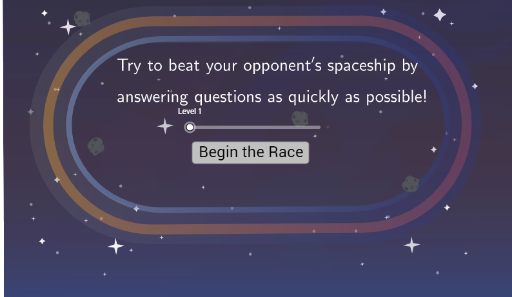
This example demonstrates the combination of addition operations with geometric intersections in a coordinate plane; core math concepts include coordinate geometry, geometric distribution, combinatorics, hypergeometric distribution, and continuity; construction highlights GeoGebra commands like Intersect, Point, Segment, Semicircle, LaTeX, RandomElement, Text, Circle, Shuffle, Sequence, and If; suitable for high school and above, focusing on the integration of coordinate geometry and probability & statistics.
GeoGebra Commands & Parameters
Intersect(xAxis, yAxis) → APoint(xAxis) → BSegment(A, B) → fPoint(yAxis) → CSegment(C, D) → gSemicircle(D, B) → cSemicircle(A, C) → dLaTeX(Text[RandAns]) → DisplayRandAnsRandomElement(ListOfSymbols) → DiceRollText("test") → DisplaySymbolLaTeX(Text[RandAnsFake2]) → DisplayRandAnsFake2Circle((0.5, 1.5), 0.6) → CircOutline1Circle((2, 1.5), 0.6) → CircOutline2Circle((3.5, 1.5), 0.6) → CircOutline3Shuffle(ListOfPoints) → ListOfPointsShuffledCircle(Point1, 0.6) → TouchArea1Circle(Point2, 0.6) → TouchArea2Circle(Point3, 0.6) → TouchArea3LaTeX(Text["Incorrect\ Answers: " + Incorrect]) → DisplayIncorrectSequence(Element[TimesList, 1 + i] - Element[TimesList, i], i, 1, Length[TimesList] - 1) → OldAverageSpeedListLaTeX(Text["Your\ Score: " + Score]) → DisplayScoreSegment((0, -0.25), (0, 0.45)) → startsegmentSegment((-2.35, 2), (-1.55, 2)) → endsegmentText("Finish") → EndTextLaTeX(Text[RandAnsFake1]) → DisplayRandAnsFake1If(RandNum1 < 0, LaTeX[Text["(" + RandNum1 + ")"]], LaTeX[Text[RandNum1]]) → DisplayRandNum1If(RandNum2 < 0, LaTeX[Text["(" + RandNum2 + ")"]], LaTeX[Text[RandNum2]]) → DisplayRandNum2LaTeX(Text[DisplayRandNum1 + DisplaySymbol + DisplayRandNum2]) → QuestionDisplayRandomElement({1, -2, 3, -4, 5, -6, 7, -8, 9, -10, -10, -10}) → FakeRoll1RandomElement({-1, 2, -3, 4, -5, 6, -7, 8, -9, 10, 10, 10}) → FakeRoll2LaTeX(Text["Try\ to\ beat\ your\ opponent's\ spaceship\ by\\\ \\answering\ questions\ as\ quickly\ as\ possible!"]) → feedback
AI Drawing Prompt Reference
Draw a coordinate geometry diagram showing the combination of addition operations and geometric intersections, including the intersection of x and y axes, line segments connecting the intersections, two semicircles, and three circles. Randomly generate symbols and numbers, display some answers and incorrect information, and show the contact areas between three circles and three points. Finally, draw start and end segments, display text and score.
The prompt above was compiled from the original drawing commands and is for reference only.