
Addition and Subtraction
Loading the math board and drawing, please wait…
In collections
Geometric Constructions
Geometric Constructions
Geometric Constructions-MINE
Geometric Constructions
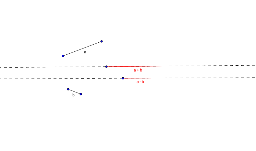
This example demonstrates the geometric meaning of addition and subtraction through graphics; involves core math concepts like logic, pie/circle charts, matrices, cubes, perimeter; constructed using GeoGebra commands like Segment, Line, Circle, Intersect for objects A, B, a, C, etc.; suitable for middle school and above students learning mathematical logic and geometric constructions.
GeoGebra Commands & Parameters
Segment(A, B) → aSegment(C, D) → bLine(E, F) → cLine(G, H) → dCircle(G, Segment[A, B]) → eIntersect(e, d, 2) → ICircle(I, Segment[C, D]) → fIntersect(f, d, 2) → JSegment(G, J) → target1Circle(E, Segment[A, B]) → hIntersect(h, c, 2) → KCircle(K, Segment[C, D]) → kIntersect(k, c) → L, MSegment(E, L) → target2
AI Drawing Prompt Reference
Draw a circle with center G passing through points A and B, then draw a line through points E and F, followed by a circle with center I passing through points C and D, then draw a line segment from G to J, next draw a circle with center E passing through points A and B, then draw a circle with center K passing through points C and D, and finally draw a line segment from E to L.
The prompt above was compiled from the original drawing commands and is for reference only.