
Addition and Geometry Combined Practice (Question 4)
Loading the math board and drawing, please wait…
In collections
Grade 2 Eureka M4L6
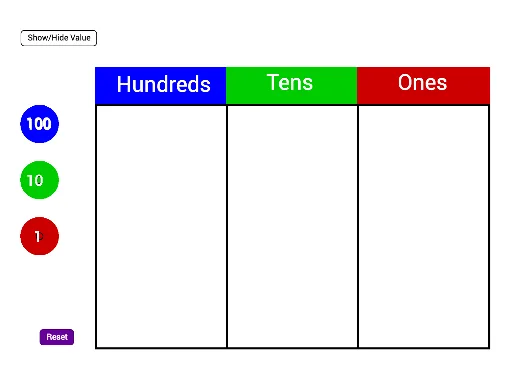
This GeoGebra example demonstrates a dynamic construction that combines natural number addition with geometric figures such as polygons, circles, and secants. It uses commands like Polygon, Make100, Make10, Make1, and Sum to link place-value decomposition (hundreds, tens, ones) with geometric objects (polygons, incircles, unit circles, secants), creating a visual arithmetic exercise. The core mathematical concepts include addition of natural numbers, place value, properties of polygons and circles, secant lines, and the unit circle. The construction involves creating multiple polygons (poly1, poly2, poly3) via the Polygon command, decomposing numbers using Make100/Make10/Make1, summing them with Sum, displaying results through text objects (text51, text52, text53), and incorporating circles (c_5, d_5) and secants (f_4, g_4). It is suitable for upper elementary or middle school students to reinforce addition skills and geometric recognition, and can serve as an interactive practice template for teachers.
GeoGebra Commands & Parameters
Polygon(C_2, D_2, E_2, F_2) → poly1, c_5, d_5, e_4, f_4Polygon(F_2, E_2, G_2, H_2) → poly2, f_5, e_5, g_4, h_4Polygon(H_2, G_2, I_2, J_2) → poly3, h_5, g_5, i_2, j_2Make100(A) → c, text1Make100(B) → d, text2Make100(C) → e, text3Make100(D) → f, text4Make100(E) → g, text5Make100(F) → h, text6Make100(G) → k, text7Make100(H) → p, text8Make100(I) → q, text9Make100(J) → r, text10Make10(K) → s, text11Make10(L) → t, text12Make10(M) → c_1, text13Make10(N) → d_1, text14Make10(O) → e_1, text15Make10(P) → f_1, text16Make10(Q) → g_1, text17Make10(R) → h_1, text18Make10(S) → k_1, text19Make10(T) → p_1, text20Make10(U) → q_1, text21Make10(V) → r_1, text22Make10(W) → s_1, text23Make10(Z) → t_1, text24Make10(A_1) → c_2, text25Make10(B_1) → d_2, text26Make10(C_1) → e_2, text27Make10(D_1) → f_2, text28Make10(E_1) → g_2, text29Make10(F_1) → h_2, text30Make1(G_1) → k_2, text31Make1(H_1) → p_2, text32Make1(I_1) → q_2, text33Make1(J_1) → r_2, text34Make1(K_1) → s_2, text35Make1(L_1) → t_2, text36Make1(M_1) → c_3, text37Make1(N_1) → d_3, text38Make1(O_1) → e_3, text39Make1(P_1) → f_3, text40Make1(Q_1) → g_3, text41Make1(R_1) → h_3, text42Make1(S_1) → k_3, text43Make1(T_1) → p_3, text44Make1(U_1) → q_3, text45Make1(V_1) → r_3, text46Make1(W_1) → s_3, text47Make1(Z_1) → t_3, text48Make1(A_2) → c_4, text49Make1(B_2) → d_4, text50Polygon(D_2, K_2, L_2, E_2) → poly4, d_6, k_4, l_2, e_6Polygon(E_2, L_2, M_2, G_2) → poly5, e_7, l_1, m_2, g_6Polygon(G_2, M_2, N_2, I_2) → poly6, g_7, m_1, n_2, i_1Sum(Sequence[IsInRegion[Element[listOnes, i], poly6], i, 1, 20]) → valueOnes
AI Drawing Prompt Reference
Create a dynamic construction combining natural number addition with geometric figures like polygons, circles, and secants to visually demonstrate place-value decomposition (hundreds, tens, ones), with polygons representing each digit and circles/secants aiding the display, including text objects for results, suitable for arithmetic and geometry practice.
The prompt above was compiled from the original drawing commands and is for reference only.