
Adding Vectors Using Component Method
Loading the math board and drawing, please wait…
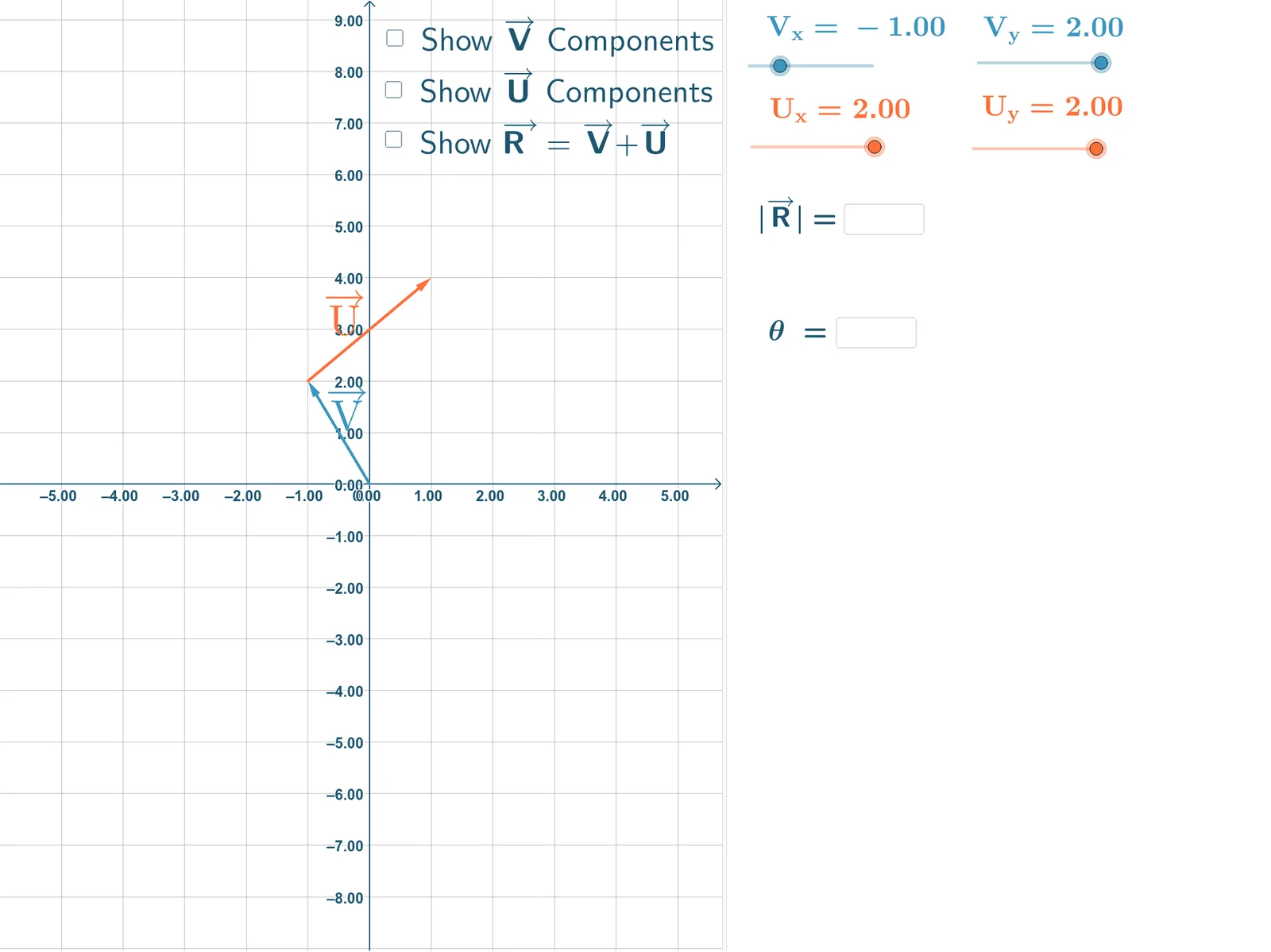
This example demonstrates how to add vectors using the component method. Key mathematical concepts include vector decomposition and synthesis. Using GeoGebra commands such as Vector, Textfield, If, etc., it dynamically shows the components of vectors and their synthesis. Suitable for high school and above students to learn the geometric and algebraic representation of vectors.
GeoGebra Commands & Parameters
Vector((MagVx, MagVy)) → VTextfield(MagVx) → InputBox1Textfield(MagVy) → InputBox2Vector((MagVx, 0)) → VxVector(VyStart, (MagVx, MagVy)) → VyAngle(Vx, V) → αVector((MagUx, MagUy)) → UPointerTextfield(MagUx) → InputBox3Textfield(MagUy) → InputBox5Vector((0, MagUy)) → UYPointerVector((MagUx, 0)) → UXPointerVector(UyStart, (MagVx + MagUx, MagVy + MagUy)) → UyVector((MagVx + MagUx, MagVy + MagUy)) → ResultantVector(UStart, Point[(MagVx, MagVy), UPointer]) → UVector(UStart, Point[(MagVx, MagVy), UXPointer]) → UxVector((0, MagVy + MagUy)) → RyVector((MagVx + MagUx, 0)) → RyPointerVector((0, MagVy + MagUy), Point[(0, MagVy + MagUy), RyPointer]) → RxVector((1, 0)) → PosXPointerAngle(PosXPointer, Resultant) → θTextfield(ansR) → InputBox4Textfield(ansTheta) → InputBox7If(MagR ≟ ansR, "Good Job!", " ") → text20If(ansTheta ≟ theta, "Good Job!", " ") → text19If(MagR ≟ ansR, "Good Job!", "Try Again") → text112If(abs(ansTheta - theta) ≤ 0.05, "Good Job!", "Try Again") → text113
AI Drawing Prompt Reference
Draw a vector addition demonstration. Start at the origin, use two input boxes to set the horizontal and vertical components of vector V, then draw vector V, its horizontal component Vx, and vertical component Vy, and label the angle α between V and the horizontal. Then use two input boxes for vector U's components, draw vector U starting from the tip of V, along with its horizontal component Ux and vertical component Uy. Then draw the resultant vector R from the origin to the point whose coordinates are the sum of V and U components, and label the angle θ between R and the horizontal. Finally, show two input boxes for the magnitude and angle of the resultant, and display feedback text 'Good Job!' or 'Try Again' depending on whether the inputs match the computed values.
The prompt above was compiled from the original drawing commands and is for reference only.