
Adding Numbers to 20
Loading the math board and drawing, please wait…
In collections
Elementary School Applets
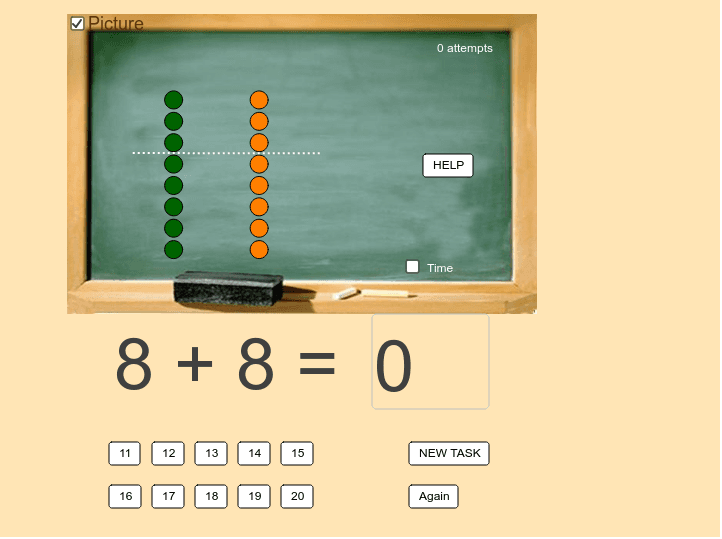
This example demonstrates how students can learn and practice addition up to 20, focusing on the transition over ten (e.g., 8 + 7). Key math concepts include basic addition, number sense, and the concept of carrying over when summing numbers greater than 10. The construction utilizes GeoGebra commands such as Random, Sequence, Vector, Textfield, and Segment, along with objects like p1, p2, lista1, lista2, and others. It is suitable for lower elementary students for classroom practice or reinforcement at home.
GeoGebra Commands & Parameters
Random(3, 9) → p1Random(11 - p1, 10) → p2Sequence((1, i), i, 1, p1) → lista1Sequence((5, i), i, 1, p2) → lista2Sequence(Translate[Element[lista2, p2 - i], Vector[Element[lista2, p2], (1, 10)]], i, 0, 9 - p1) → lista3Vector(Element[lista2, p2], (1, 10)) → uSequence(Translate[Element[lista2, p2 - i], Vector[b * Vector[Element[lista2, p2], (1, 10)]]], i, 0, 9 - p1) → lista4Sequence(Element[lista2, i], i, 1, p2 - (10 - p1)) → lista5Textfield(rez) → txtPolje1Segment(A, B) → c
AI Drawing Prompt Reference
Create a visual representation of addition up to 20, showing two randomly generated numbers where one is less than 10 and the other is greater, using vectors to represent number lines and graphical transformations to illustrate the addition process and carrying over, with line segments connecting key points to form an intuitive model of the addition.
The prompt above was compiled from the original drawing commands and is for reference only.