
45-45-90 Right Triangle Construction
Loading the math board and drawing, please wait…
In collections
Project 3 Special Right Triangles
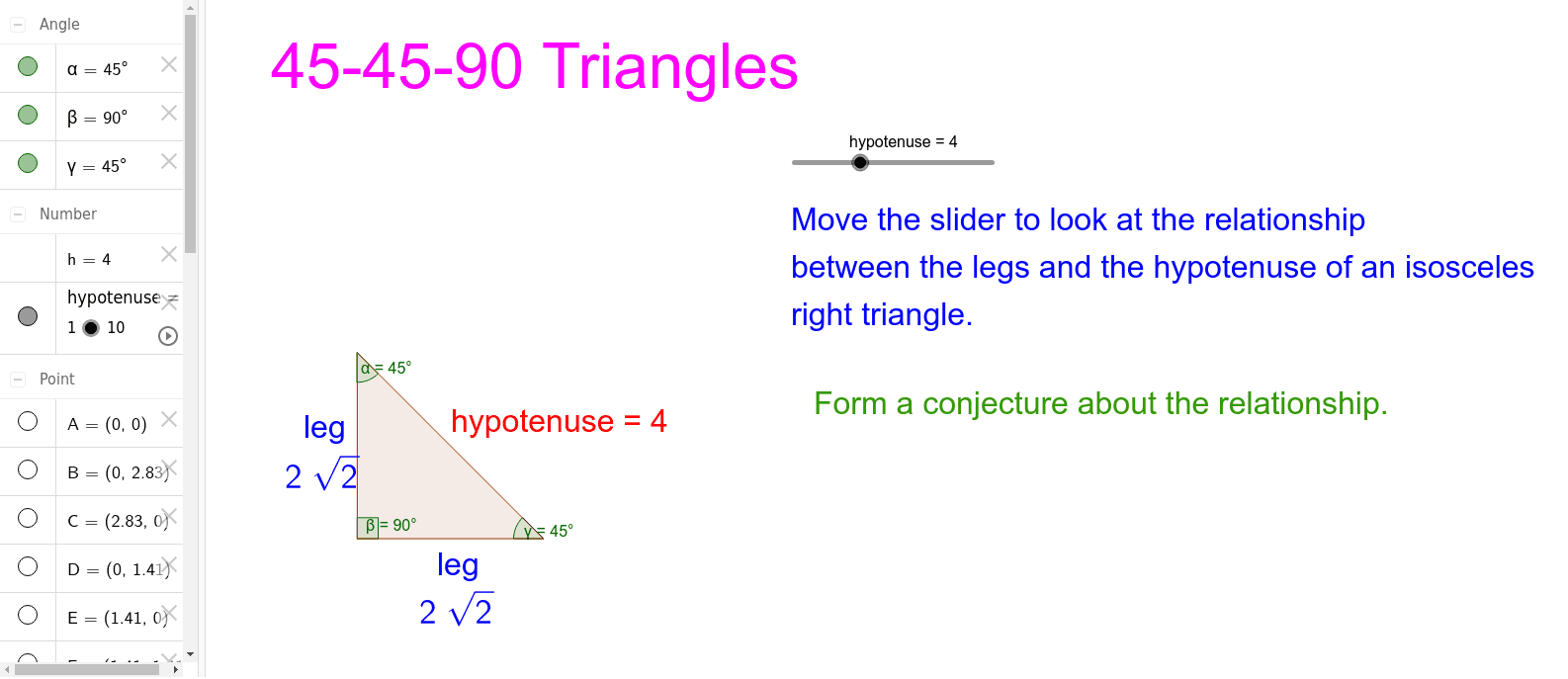
This example demonstrates the construction of a 45-45-90 right triangle, highlighting its side lengths, angles, and midpoints. Core mathematical concepts include properties of right triangles, Pythagorean theorem, midpoint formula, angle measurement, and polygon construction. GeoGebra commands used are Polygon, Midpoint, SurdText, and Angle. Suitable for high school mathematics education, focusing on geometric construction and property exploration.
GeoGebra Commands & Parameters
Polygon(B, A, C) → poly1, c, b, aMidpoint(c) → DMidpoint(b) → EMidpoint(a) → FSurdText(hypotenuse / sqrt(2)) → dSurdText(hypotenuse / sqrt(2)) → eAngle(poly1) → α, β, γ
AI Drawing Prompt Reference
Draw a 45-45-90 right triangle where the two 45-degree angles are at the ends of the base, and the hypotenuse is √2 times the length of the base. Start by drawing two equal sides for the base and the hypotenuse, then find the midpoint of the base, draw the midpoint of the hypotenuse, and finally label half the length of the hypotenuse.
The prompt above was compiled from the original drawing commands and is for reference only.