
30-60-90 Triangle
Loading the math board and drawing, please wait…
In collections
Project 3 Special Right Triangles
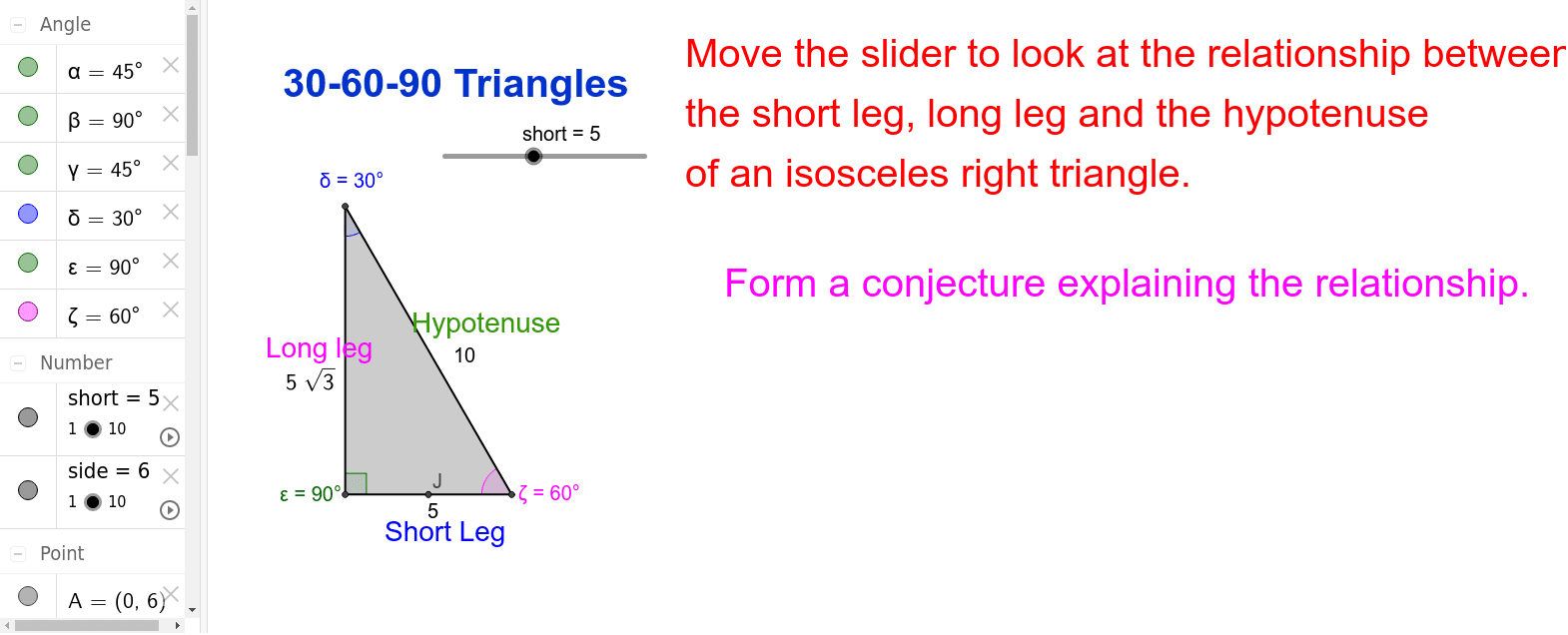
This example illustrates the properties of a 30-60-90 triangle. Key mathematical concepts include the relationships between the angles and sides of a triangle. Construction highlights the use of intersection, polygon, and surd text commands. Suitable for middle school and above students to learn basic triangle properties.
GeoGebra Commands & Parameters
Intersect(xAxis, yAxis) → BPolygon(A, B, C) → poly1, c, a, bSurdText((side * sqrt(2))) → dAngle(poly1) → α, β, γMidpoint(b) → DIntersect(xAxis, yAxis) → EPolygon(G, E, F) → poly2, f, g, eMidpoint(f) → HSurdText((short * sqrt(3))) → hAngle(poly2) → δ, ε, ζMidpoint(f) → IMidpoint(g) → J
AI Drawing Prompt Reference
Draw a 30-60-90 triangle by first creating point B at the intersection of the coordinate axes, then constructing a triangle with points A, B, and C, and labeling its angles as α, β, and γ. Next, take the midpoint D on side BC, and create another triangle with points G, E, and F at the intersection of the axes, and label its angles as δ, ε, and ζ. Finally, take the midpoints H and I on sides EF and FG, respectively.
The prompt above was compiled from the original drawing commands and is for reference only.