
45-45-90 Special Right Triangle (Page 1)
Loading the math board and drawing, please wait…
In collections
Project 3 Special Right Triangles
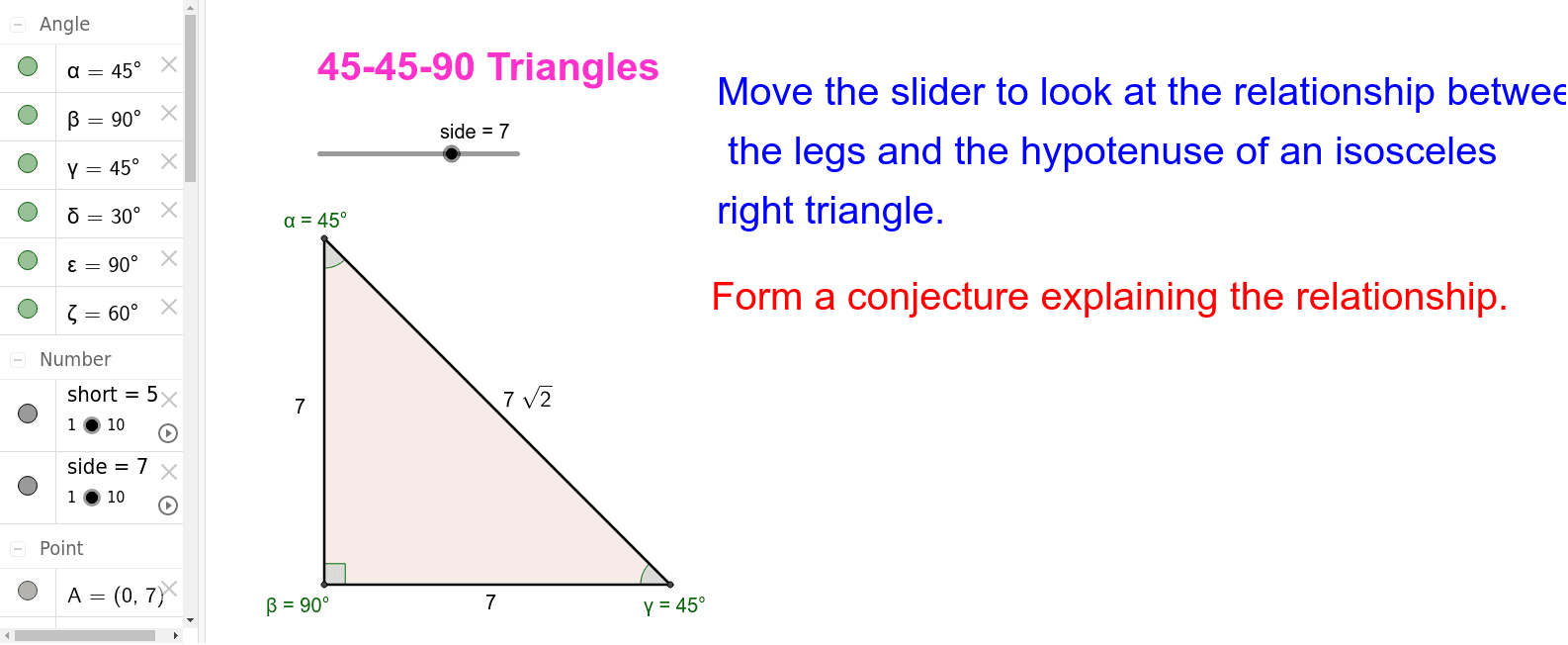
① This example demonstrates the geometric construction and properties of an isosceles right triangle (45°-45°-90°), using GeoGebra to interactively show side-length ratios, angle relationships, and the incircle. ② Core mathematical concepts include the side ratio 1:1:√2 for special right triangles, the relationship between the incircle radius and triangle area, angle bisectors and midpoints, and exact representation of irrational numbers like √2. ③ Construction highlights: commands such as Intersect, Polygon, SurdText, Angle, and Midpoint are used; objects include vertices A, B, C, sides a, b, c, incircle d, angles α, β, γ, auxiliary points D, E, F, G, H, and multiple text labels. ④ Suitable for upper middle school or high school students to understand special right triangle geometry, incircle properties, and dynamic geometric construction in GeoGebra, also useful for classroom demonstrations or student self-exploration.
GeoGebra Commands & Parameters
Intersect(xAxis, yAxis) → BPolygon(A, B, C) → poly1, c, a, bSurdText((side * sqrt(2))) → dAngle(poly1) → α, β, γMidpoint(b) → DIntersect(xAxis, yAxis) → EPolygon(G, E, F) → poly2, f, g, eMidpoint(f) → HSurdText((short * sqrt(3))) → hAngle(poly2) → δ, ε, ζ