
3D Vectors Cross Product
Loading the math board and drawing, please wait…
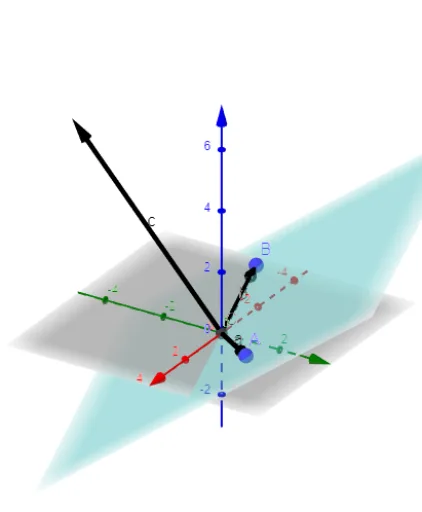
This GeoGebra example illustrates the cross product of two vectors in three-dimensional space. It visually demonstrates the direction and magnitude of the resulting cross product vector, constructed using geometric relationships involving planes and intersection points. Core mathematical concepts include vector operations, cross product properties, and 3D geometry. The construction employs GeoGebra commands Vector, Intersect, and Plane, utilizing objects such as A, a, B, b, C, p, and c. It is suitable for high school and university-level calculus, linear algebra, or analytic geometry courses aiming to build intuition about vector geometry in three dimensions.
GeoGebra Commands & Parameters
Vector(A) → aVector(B) → bIntersect(yAxis, xAxis) → CPlane(A, C, B) → p
AI Drawing Prompt Reference
Draw two vectors in 3D space and their cross product. First, display the two vectors, then find the intersection point of the coordinate axes, next construct a plane using these two vectors and the intersection point, and finally draw the cross product vector based on the direction and magnitude of the two vectors, clearly showing the direction and magnitude of the cross product vector.
The prompt above was compiled from the original drawing commands and is for reference only.