
3D Vector Demonstration
Loading the math board and drawing, please wait…
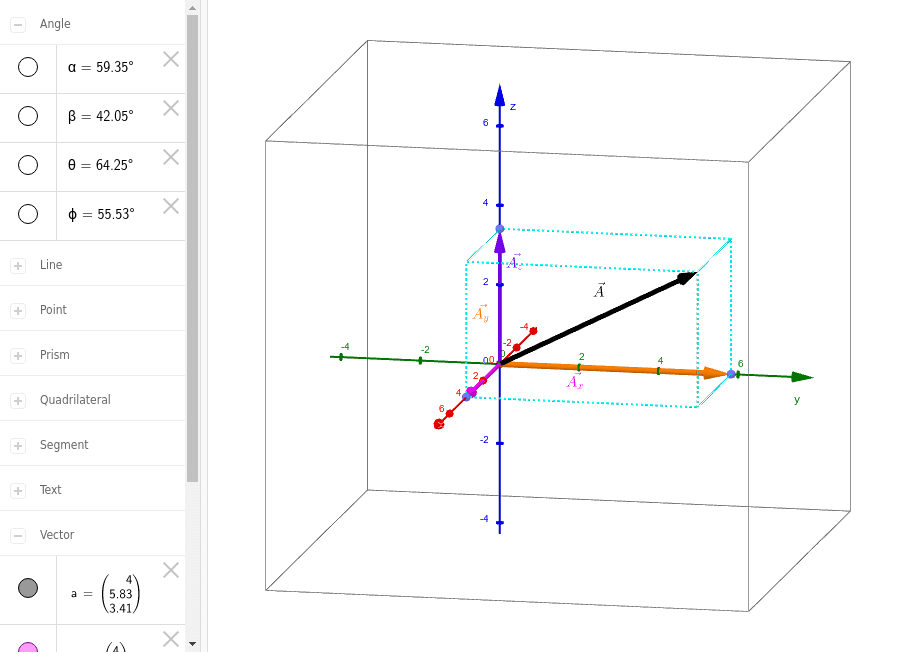
This applet demonstrates 3D vectors, involving basic concepts such as vector addition, dot product, and cross product. Using GeoGebra commands like Point, Vector, Polygon, etc., it constructs 3D vector graphics. Suitable for high school and above students to learn solid geometry and vector knowledge.
GeoGebra Commands & Parameters
Point(xAxis) → APoint(yAxis) → BOrthogonalLine(A, xAxis) → a_2OrthogonalLine(B, yAxis) → bIntersect(a_2, b) → CPoint(yAxis) → DVector(D, C) → a_{xy}Vector(D, A) → a_xVector(D, B) → a_yPolygon(D, A, C, B) → poly1, d, a_1, c, b_1Point(zAxis) → EPrism(poly1, E) → e, F, edgeAF, edgeCG, edgeBH, edgeEF, edgeFG, edgeGH, edgeEH, G, H, faceADEF, faceACGF, faceBCGH, faceBDEH, faceEFGH, edgeDEVector(D, G) → aVector(D, E) → a_zPoint(xAxis) → IAngle(I, D, C) → ϕPoint(zAxis) → JAngle(J, D, G) → θPoint(b_1) → KAngle(I, D, G) → αPoint(yAxis) → LAngle(L, D, G) → β
AI Drawing Prompt Reference
Create a 3D vector demonstration showing basic concepts like vector addition, dot product, and cross product. Start by drawing the x-axis and y-axis, then construct lines perpendicular to each axis and find their intersection. Draw vectors from the y-axis point to the intersection, representing the components of the vector in the xy-plane. Connect these points to form a polygon and extend it along the z-axis to create a prism. Finally, draw vectors from the y-axis point to the endpoints of the three vectors, and label the angles between each vector and the coordinate axes.
The prompt above was compiled from the original drawing commands and is for reference only.