
3D Surface Graphing with GeoGebra
Loading the math board and drawing, please wait…
In collections
My 3D Collection
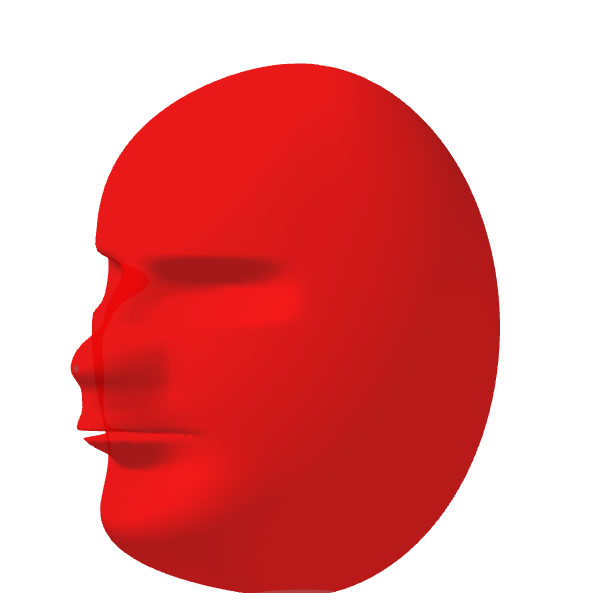
This example demonstrates how to create 3D surface graphs using GeoGebra. It involves core math concepts like solid geometry, dilation, quadratic equations, straight lines, exponential functions, and indefinite integral. Construction highlights include the use of the Surface command and objects a, b, c, d, f, g, h, e. Suitable for high school and above students exploring 3D shapes and transformations.
GeoGebra Commands & Parameters
Surface((((10 * cos(u)) * cos(v)) * h(u, v)), (((8 * sin(u)) * cos(v)) * h(u, v)), (12 * sin(v)), u, -3.141592653589793, 3.141592653589793, v, -1.5707963267948966, 1.5707963267948966) → e
AI Drawing Prompt Reference
Create a 3D surface graph defined by parametric equations involving cosine and sine functions, with a variable function h(u, v) that affects the shape, where parameters u and v range from -π to π and -π/2 to π/2 respectively, resulting in a complex solid geometric form suitable for exploring 3D shapes and transformations.
The prompt above was compiled from the original drawing commands and is for reference only.