
3D solid intersection and volume visualization from constructions
Loading the math board and drawing, please wait…
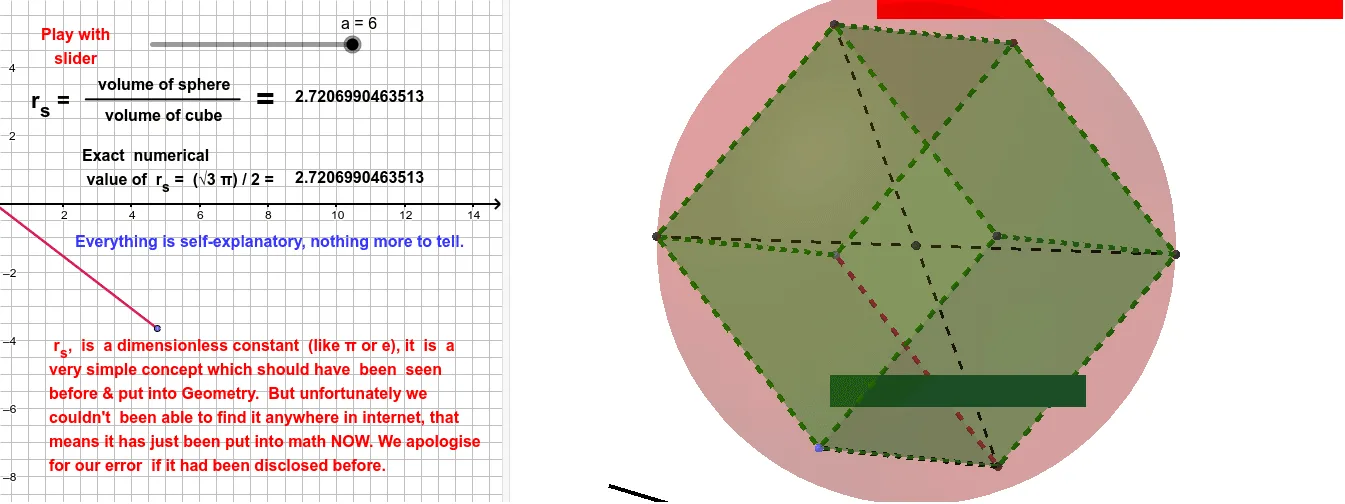
This example demonstrates, in 3D space, how intersecting solids (a cube and a sphere) can be used to construct key geometric points/regions and then visualize or obtain volume-related quantities. It centers on solid geometry concepts such as a sphere, cube, and spatial symmetry, along with the general idea of deriving measure information from precise geometric construction. The construction uses GeoGebra commands including Intersect to determine intersection geometry, Point and Segment to create supporting points and edges, PointIn for locating points relative to objects, Cube to generate the cube, Sphere to generate the sphere, and Volume to compute the resulting volume. The scene is organized by cube faces (e.g., faceABDC, faceBDHE, faceABEF, faceACGF, faceCDHG, faceEFGH) and edges (e.g., edgeAB, edgeAC, edgeCD, edgeBD, edgeBE, edgeDH, edgeEH, edgeEF, edgeAF, edgeFG, edgeCG, edgeGH) and combined with labeled points used for the volume computation (e.g., volumec, volumeb and Pointc₁/Pointb₁). Suitable for upper secondary students and introductory university-level geometry, especially for teaching and learning how spatial relationships lead to measurable volume outcomes in an interactive environment.
GeoGebra Commands & Parameters
Intersect(xAxis, yAxis) → APointIn(Sphere[A, a]) → BSegment(A, B) → fPoint(Circle[A, Distance[B, A], Segment[B, A]]) → CCube(B, A, C) → b, D, faceCDHG, faceEFGH, edgeBD, edgeAB, edgeAC, edgeCD, edgeBE, edgeDH, edgeEH, edgeEF, E, edgeAF, edgeFG, edgeCG, edgeGH, F, G, H, faceABDC, faceBDHE, faceABEF, faceACGFSegment(D, F) → gSegment(H, A) → hIntersect(g, h) → ISphere(I, H) → cVolume(c) → volumecPointIn(c) → Pointc_{1}Volume(b) → volumebPointIn(b) → Pointb_{1}Segment(L, M) → iVolume(c) → dPointIn(c) → Pointc_{2}Volume(b) → ePointIn(b) → PointbVolume(c) → jPointIn(c) → Pointc
AI Drawing Prompt Reference
Create a 3D scene showing solid intersection for volume visualization. First, choose an intersection point defined from the coordinate axes directions. Use that reference point to construct a sphere and also a circle in the same 3D context, then select points on the sphere and related circle to determine the placement and orientation of a cube. Build the cube so its faces and edges are clearly formed. From specific cube vertices, draw two segments and compute their intersection point, then construct a second sphere using this new point as the center (with another nearby vertex as a distance reference). Finally, obtain and display the volume measures of the two spheres and mark the corresponding interior/reference points used for locating those volume values.
The prompt above was compiled from the original drawing commands and is for reference only.