
3D Polygons with Different Sides
Loading the math board and drawing, please wait…
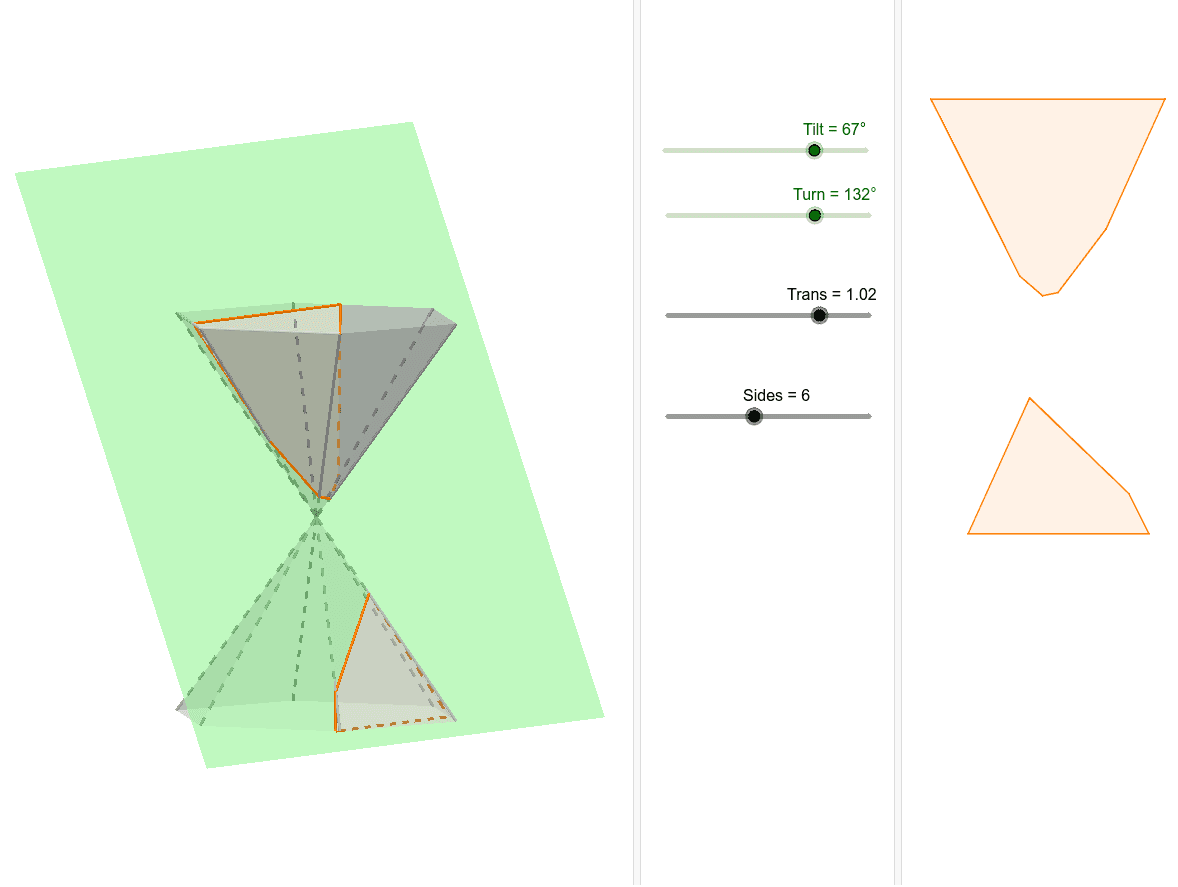
This example demonstrates 3D polygons with different numbers of sides, involving concepts such as polygons and angles. Using GeoGebra commands like Circle, Rotate, Polygon, and Pyramid, different-sided polygons can be constructed and observed in three-dimensional space. Suitable for high school students and teachers.
GeoGebra Commands & Parameters
Circle(zAxis, A) → cRotate(A, (360 * ° / Sides), zAxis) → A'Polygon(A, A', Sides, xOyPlane) → poly1, f, i_1, B, C, D, E, F, G, H, T, g, h, i, j, k, l, m, nRotate(Translate[Rotate[Plane[(1, 0, 0), (0, 0, 0), (0, 1, 0)], Tilt, xAxis], Vector[(0, 0, Trans)]], Turn, zAxis) → bPyramid(poly1, -4) → a, I, face5, face6, edgeAI, edgeA'I, edgeBI, edgeCI, edge1, edge2, edge3, edge4, faceAA'I, edge5, edge6, faceA'BI, faceBCI, faceACI, face1, face2, face3, face4IntersectPath(b, a) → poly2, J, O, p, q, r, s, t, g_1, h_1, j_1, k_1, K, d, L, M, N, R, S, U, VMirror(A', xOyPlane) → A''Mirror(A, xOyPlane) → A'_1Polygon(A'_1, A'', Sides, xOyPlane) → poly3, e, t_1, P, Q, W, Z, A_1, B_1, C_1, D_1, f_1, l_1, m_1, n_1, p_1, q_1, r_1, s_1Pyramid(poly3, 4) → o, E_1, face16, face9, edge8, edge7, edge9, edge10, edge11, edge12, edge13, edge14, face7, edge15, edge16, face8, face10, face11, face12, face13, face14, face15IntersectPath(b, o) → poly4, F_1, b_1, c_1, d_1, e_1, f_2, g_2, h_2, G_1, H_1, I_1, J_1, K_1, L_1, M_1, a_1