
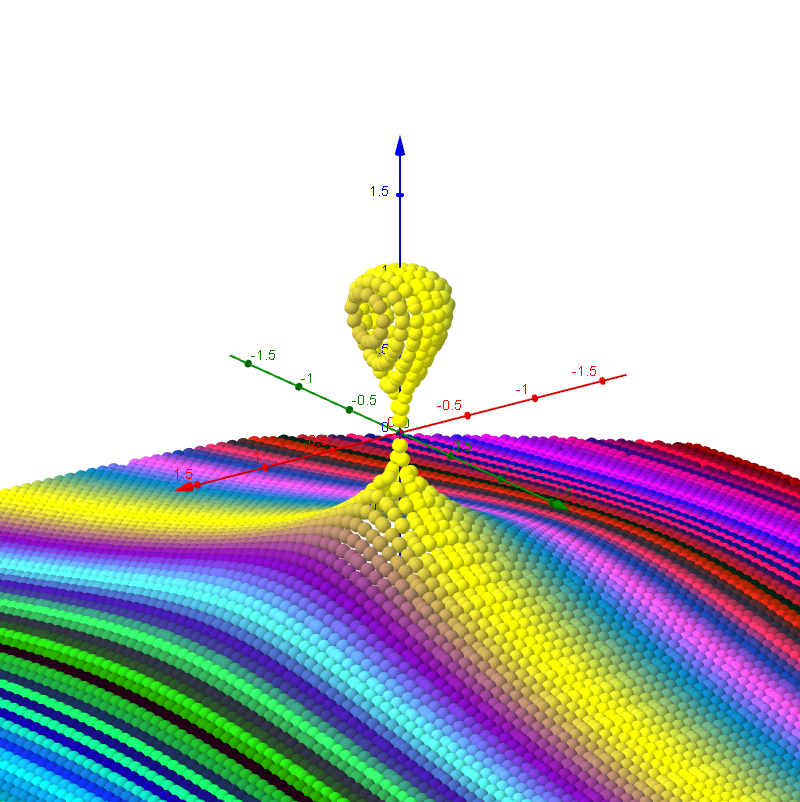
3D Implicit Surface Grapher: Kiss Surface
Loading the math board and drawing, please wait…
This example demonstrates 3D implicit surfaces using algebraic and polynomial functions. By adjusting parameters, you can observe how different functions appear. It utilizes GeoGebra commands such as TextField, objects, g, Nn, y_{max}, z_{max}, etc. Suitable for high school and above students learning implicit functions and calculus.
GeoGebra Commands & Parameters
Textfield(x_{min}) → Textfeld1Textfield(y_{min}) → Textfeld2Textfield(z_{min}) → Textfeld3Textfield(x_{max}) → Textfeld4Textfield(y_{max}) → Textfeld5Textfield(z_{max}) → Textfeld6Textfield(Nn) → Textfeld10Textfield(g) → Textfeld13Textfield(b) → inputBox1
AI Drawing Prompt Reference
Create a 3D implicit surface resembling a kiss surface. The scene should include a three-dimensional coordinate system with axes labeled x, y, and z, and adjustable ranges for each axis (minimum and maximum values). The surface should be smooth, defined by an algebraic or polynomial function, with color or transparency adjustable via parameters. Include several input boxes for setting the coordinate ranges, grid density (denoted as N), and function parameters (denoted as g and b). The overall layout should clearly display the surface's shape in 3D space, facilitating observation of the implicit function's geometric properties.
The prompt above was compiled from the original drawing commands and is for reference only.