
3D Implicit Surface Grapher: Ellipsoid
Loading the math board and drawing, please wait…
In collections
My 3D Collection
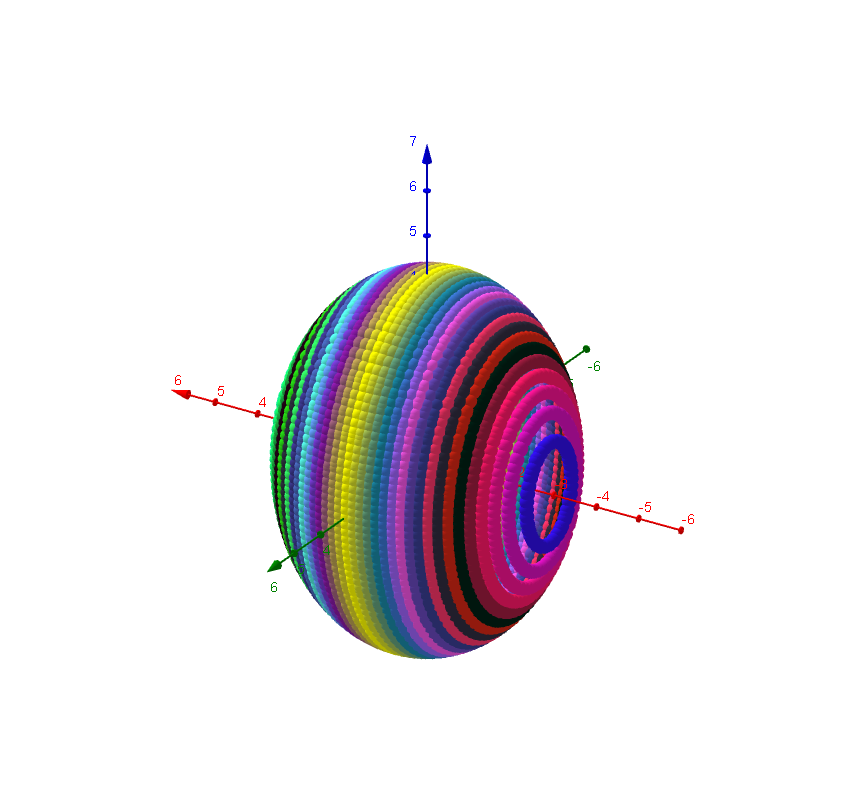
This GeoGebra example demonstrates the visualization of three-dimensional implicit surfaces, centered on the ellipsoid. It explores core concepts such as implicit functions, polynomial surfaces in three-dimensional coordinates, and geometric properties of quadrics. The construction utilizes GeoGebra objects including text fields, boundary variables (y_max, z_max, x_min, etc.), predefined algebraic and polynomial function sets (1–14), control buttons, and numerical input boxes to enable dynamic switching and plotting of 14 implicit functions. It is suitable for calculus, analytic geometry, and multivariable mathematics courses, supporting both classroom demonstration and independent student exploration of 3D surface behavior.
GeoGebra Commands & Parameters
Textfield(x_{min}) → Textfeld1Textfield(y_{min}) → Textfeld2Textfield(z_{min}) → Textfeld3Textfield(x_{max}) → Textfeld4Textfield(y_{max}) → Textfeld5Textfield(z_{max}) → Textfeld6Textfield(Nn) → Textfeld10Textfield(g) → Textfeld13Textfield(b) → inputBox1
AI Drawing Prompt Reference
Create a 3D visualization of an implicit surface, specifically an ellipsoid, defined by a polynomial equation. The scene includes six input boxes for setting the minimum and maximum values of x, y, and z coordinates, plus a numeric field for grid resolution and another for a parameter. Display a set of 14 switchable implicit function surfaces, with the ellipsoid currently active. Include coordinate axes and grid lines to aid spatial understanding. The overall look should be clean and educational, suitable for calculus or analytic geometry demonstrations.
The prompt above was compiled from the original drawing commands and is for reference only.