
2D to 3D Conversion: Geometric and Function Visualization
Loading the math board and drawing, please wait…
In collections
Cross Section to Surface of Revolution (Intro)
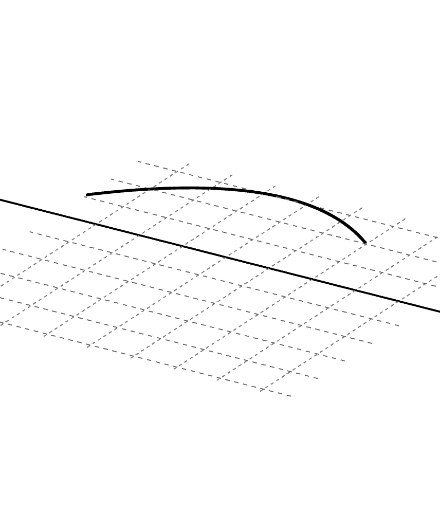
This example demonstrates converting 2D graphs to 3D solids, highlighting geometric transformations and function visualization. Key mathematical concepts include logarithmic functions, unit circle, sphere, and boxplot. Construction involves GeoGebra commands like Min, Max, FitPoly, Rotate, Surface, etc. Suitable for high school students or college freshmen learning geometric transformations and function visualization.
GeoGebra Commands & Parameters
Min({x(A), x(B), x(C)}) → aMax({x(A), x(B), x(C)}) → bFitPoly({A, B, C}) → fRotate(g, n, xAxis) → g_1Surface(g, n, xAxis) → cPoint(xAxis) → DPoint(xAxis) → ELine(D, E) → h
AI Drawing Prompt Reference
Create a 2D-to-3D geometric and function visualization: plot a function curve determined by three given points, then identify the minimum and maximum values among the x-coordinates of those points as key bounds. Using the horizontal axis, rotate the curve around that axis to form a 3D surface (a solid-like shape from revolution). Add two points on the horizontal axis to locate the construction and connect them with a straight line as a helpful reference for the geometric relationship. Follow a sequence of defining the curve and its bounds, generating the surface by rotation, then adding points and the connecting line.
The prompt above was compiled from the original drawing commands and is for reference only.