
2D Rotation Construction: Trigonometric Structure with Polygons
Loading the math board and drawing, please wait…
In collections
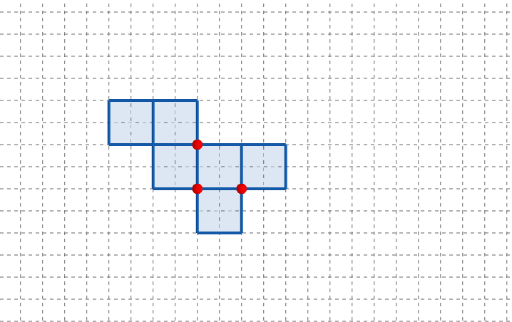
長方體有多少個摺紙圖樣?
This example demonstrates how repeatedly rotating a 2D geometric configuration generates corresponding polygon positions governed by trigonometric relationships, with parameters guided by integer-like steps and a random-variable viewpoint for scenario interpretation. It centers on core ideas such as 2D rotation (vector/point transformation), angle-based modeling via trigonometric functions, parameter control, and mapping discrete parameter choices to visible outcomes. Construction follows the provided GeoGebra commands: Point to define the base and rotated points (e.g., A, B, C and the families q1, q2…q6 together with their rotated counterparts q2'…q6'), Polygon to form the shapes from those points, and Rotate to compute the rotated positions. Additional objects like t, t', button1, button2 and text1 support interactive parameter changes and labeling. Suitable for middle school through early university, especially for lessons on geometric transformations and using GeoGebra for trigonometry-based visualization.
GeoGebra Commands & Parameters
Point(Ray[(1, 0), (3, 0)]) → APoint(Ray[A + (1, 0), A + (2, 0)]) → CPoint(Ray[A + (0, 1), A + (0, 2)]) → BPolygon({(0, 0), A, B, (0, y(B))}) → q1Polygon({A, C, (x(C), y(B)), B}) → q2Polygon({A, A - (0, l), A + (h, (-l)), C}) → q3Polygon({B, B + (0, h), B + ((-l), h), B + ((-l), 0)}) → q4Polygon({C, C + (l, 0), C + (l, w), C + (0, w)}) → q5Polygon({(0, w), (0, w + h), ((-w), w + h), ((-w), w)}) → q6Rotate(q4, (90° * t), Line[(0, w), B]) → q4'Rotate(q2, (90° * t), Line[B, A]) → q2'Rotate(Rotate[q5, (90° * t), Line[C + (0, w), C]], (90° * t), Line[B, A]) → q5'Rotate(Rotate[q6, (90° * t), Line[(0, w), (0, w + h)]], (90° * t), Line[(0, w), B]) → q6'Rotate(Rotate[q3, (90° * t), Line[C, A]], (90° * t), Line[B, A]) → q3'
AI Drawing Prompt Reference
Draw a 2D rotation construction with multiple polygons. Start by placing three key points on the axes, then build six base polygons including rectangles and right trapezoids. Rotate each polygon around its adjacent edge by the same angle parameter, creating rotated copies. The final composition shows symmetric, repeated geometric shapes connected by shared edges or vertices, resembling a pinwheel or petal arrangement.
The prompt above was compiled from the original drawing commands and is for reference only.