
13.2 Turning On a Grid #2: Polygon Construction and Continuity
Loading the math board and drawing, please wait…
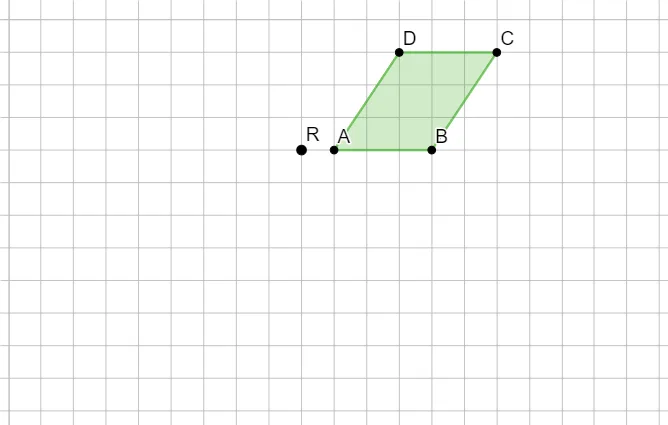
This GeoGebra example demonstrates how turning on a grid helps construct and visually analyze a planar figure, emphasizing how the shape remains interpretable and stable on a coordinate background. It is centered on geometric construction with polygons and related circular/structural elements, using continuity as an intuitive theme: as key points are defined or adjusted, the configuration can be tracked reliably against the grid. The construction is driven by the Polygon command, with objects such as A, B, C, D and additional defining points/parameters q1, a, b, c, d, R that determine the polygon’s vertices and the underlying geometric setup. The result is well suited for classroom demonstrations and student self-study in coordinate geometry, geometric construction, and learning to read and verify geometric relationships using grid-based alignment.
GeoGebra Commands & Parameters
Polygon(A, B, C, D) → q1, a, b, c, d
AI Drawing Prompt Reference
Draw a quadrilateral formed by points A, B, C, and D, along with a circle centered at R. Ensure the quadrilateral and circle are clearly visible on a coordinate grid, showing their relative positions. Adjust the points to observe the relationship between the quadrilateral and the circle, keeping the shape stable and easy to understand.
The prompt above was compiled from the original drawing commands and is for reference only.