
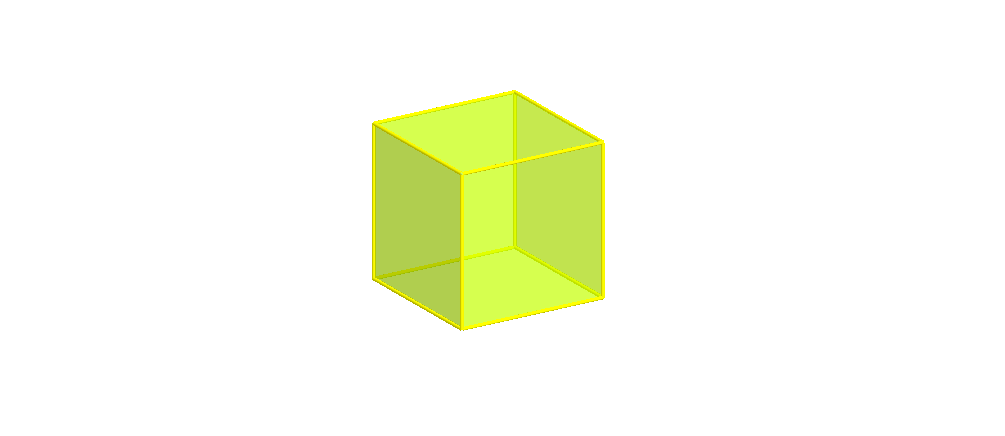
将立方体三等分为三个金字塔
几何画板及绘图内容加载中,请稍等……
所属专题
Area, Surface Area, Volume, Cross Section, 3D
GCSE Higher Ch7 Area and Volume
Geometry: Surface Area & Volume
Geometry: Surface Area & Volume
Geometry: Surface Area & Volume
GA Chapter 11: Surface Area and Volume
Volumes and Surface Areas of Pyramids, Cones and Spheres
More about Volumes and Surface Areas
Volumes and Surface Areas of Pyramids, Cones and Spheres
Volumes and Surface Areas of Pyramids, Cones and Spheres
这个范例演示了如何将一个立方体三等分为三个金字塔。涉及的核心数学概念包括立体几何、几何作图和空间分割。作图要点使用了 GeoGebra 命令如立方体构造、金字塔构造、旋转、中点、正交线段等。适合高中及以上学生学习和探索空间几何问题。
GeoGebra 命令及参数
If(t < 0.5, (2 * t), 1) → t1Cube(A, B, xOyPlane) → a, C, faceBCGF, faceCDHG, faceEFGH, edgeAD, edgeAB, edgeBC, edgeCD, edgeAE, edgeDH_1, edgeEH_1, D, edgeEF, edgeBF, edgeFG, edgeCG, edgeGH_1, E, F, G, H, faceABCD, faceADHE, faceABFEPyramid(faceABCD, H) → b, faceADH, faceABH_1, faceBCH_1, faceCDH, edgeDH, edgeAH_1, edgeBH_1, edgeCH_1Pyramid(faceBCGF, H) → c, faceBCH, faceBFH_1, faceFGH, faceCGH, edgeCH, edgeBH_2, edgeFH_1, edgeGHPyramid(faceABFE, H) → d, faceABH, faceAEH, faceEFH, faceBFH, edgeBH, edgeAH, edgeEH, edgeFHRotate(E, (90° * t1), edgeAB) → E'Midpoint(E', B) → IOrthogonalLine(I, Polygon[A, I, B]) → eRotate(G, (90° * t1), edgeBC) → G'Midpoint(B, G') → JOrthogonalLine(J, Polygon[B, C, G']) → fRotate(Pyramid[faceABCD, H], 0*°, edgeDH) → b'If(t ≥ 0.5, (2 * (t - 0.5)), 0) → t2Rotate(Rotate[c, (90° * t1), edgeBC], (-((90° * t2))), f) → c'Rotate(Rotate[d, (90° * t1), edgeAB], (((-90))° * t2), e) → d'Segment(A, B) → gSegment(B, C) → hSegment(C, D) → iSegment(D, A) → jSegment(A, E) → kSegment(B, F) → lSegment(C, G) → mSegment(D, H) → nSegment(E, F) → pSegment(F, G) → qSegment(G, H) → rSegment(H, E) → s
AI 绘图提示语参考
画一个立方体,并将其分成三个金字塔。首先构造立方体的三个面,然后以其中一个面为底面,顶点在立方体对角线上方构造一个金字塔。接着,对另外两个面分别构造金字塔,并旋转其中一个金字塔的底面,使其与立方体的一个棱平行。最后,连接立方体的各个顶点和边,展示三个金字塔的分割效果。
以上提示语为根据原始绘图命令整理而来,仅供参考。