
线性函数f(x)=g(x)的解法
几何画板及绘图内容加载中,请稍等……
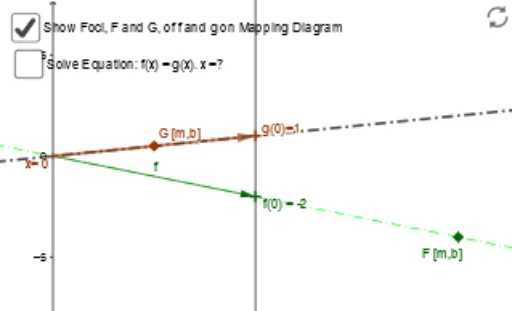
这个范例演示了如何通过解析几何的方法求解线性函数f(x)和g(x)的交点。核心数学概念包括线性函数、函数图像和解析几何。通过使用Intersect、Line、Vector等GeoGebra命令,可以直观地展示线性函数的性质和解法。适合初中及以上学生学习线性方程组和函数图像。
GeoGebra 命令及参数
Intersect(f_1, g) → ILine(x_1, y_2) → h_1Line(x_0, g_0) → i_1Intersect(i_1, h_1) → KLine(A, B) → kLine(x_1, y_1) → iIntersect(i, k) → FocusLine(Focus, K) → g_1Vector(A, B) → fVector(x_1, y_1) → vSegment(f_x, F) → c_1Segment(E, F) → dSegment(A, x_1) → eSegment(B, y_1) → hIntersect(g_1, a) → CLine(Focus, C) → nIntersect(n, e) → DIntersect(n, yAxis) → GSegment(G, C) → pVector(G, C) → uOrthogonalLine(I, q) → rIntersect(r, xAxis) → JVector(H, I) → wVector(I, J) → zVector(C, G) → sVector(I, H) → tVector(J, I) → u_1Textfield(f_1) → InputBox1Textfield(g) → InputBox2Vector(A, g_0) → v_1