
描述变换 by mrpettmaths
几何画板及绘图内容加载中,请稍等……
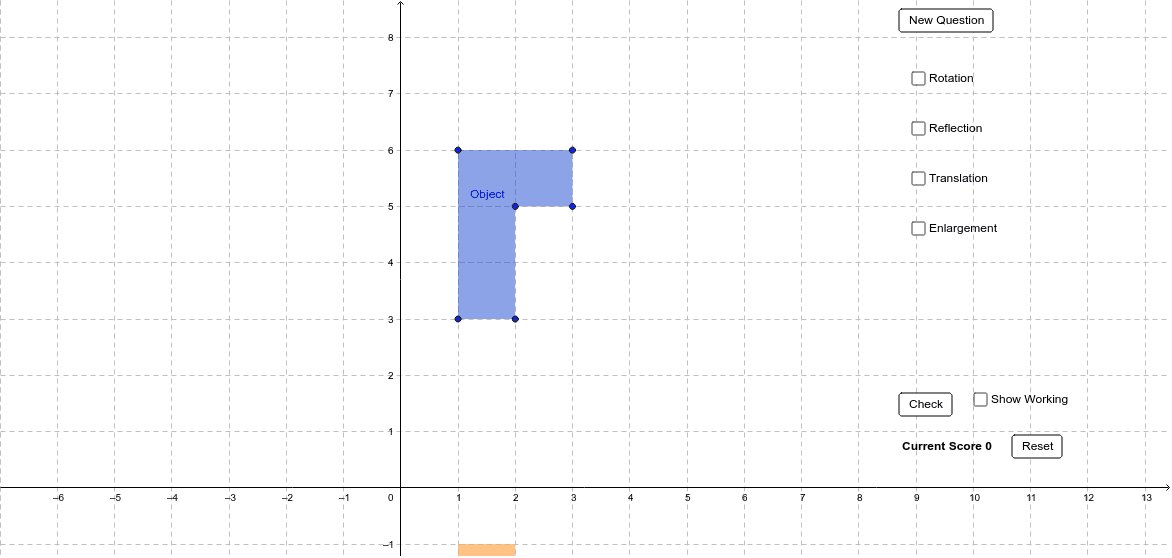
①本范例演示图形变换(反射、旋转、平移)的随机生成与描述;②涉及核心数学概念包括变换、多边形、解析几何;③构造要点:使用Random命令生成随机变换,Polygon命令创建多边形,Textfield命令显示描述,Ray命令绘制射线,涉及对象如M_1至F_1、A至F、a至f等;④适合GCSE数学教学或学生练习变换描述。
GeoGebra 命令及参数
Random(0, 2) → aRandom(0, 2) → bPolygon(A, B, C, D, E, F) → Object, a_1, b_1, c, d, e, fPolygon(A_1, B_1, C_1, D_1, E_1, F_1) → RotateAnti90, a_2, b_2, c_1, d_1, e_1, f_1Polygon(A_2, B_2, C_2, D_2, E_2, F_2) → Rotate180, a_3, b_3, c_2, d_2, e_2, f_2Polygon(A_3, B_3, C_3, D_3, E_3, F_3) → RotateClock90, a_4, b_4, c_3, d_3, e_3, f_3Random(-2, 2) → x_1Random(-2, 2) → y_1Polygon(A_4, B_4, C_4, D_4, E_4, F_4) → XReflect, a_5, b_5, c_4, d_4, e_4, f_4Polygon(A_5, B_5, C_5, D_5, E_5, F_5) → YReflect, a_6, b_6, c_5, d_5, e_5, f_5Polygon(A_6, B_6, C_6, D_6, E_6, F_6) → XYReflect, a_7, b_7, c_6, d_6, e_6, f_6Random(-4, 4) → t_1Random(-4, 4) → t_2Random(2, 4) → kPolygon(A_7, B_7, C_7, D_7, E_7, F_7) → Trans, a_8, b_8, c_7, d_7, e_7, f_7Random(1, 2) → ce_xRandom(1, 2) → ce_yPolygon(A_8, B_8, C_8, D_8, E_8, F_8) → EnlargeSFk, a_9, b_9, c_8, d_8, e_8, f_8Random(1, 8) → nTextfield(ans_trx) → TranslateXTextfield(ans_try) → TranslateYTextfield(ans_rex) → ReflectXTextfield(ans_rey) → ReflectYTextfield(ans_rocx) → RotateCenterXTextfield(ans_rocy) → RotateCenterYTextfield(ans_esf) → EnlargeSFTextfield(ans_ecx) → EnlargeCXTextfield(ans_ecy) → EnlargeCYRay(CE, A) → jRay(CE, B) → lRay(CE, F) → mRay(CE, C) → pRay(CE, E) → r
AI 绘图提示语参考
画一个随机生成的六边形,然后依次进行顺时针旋转90度、旋转180度、逆时针旋转90度,再进行X轴和Y轴的反射,以及XY轴的反射,最后进行平移和放缩变换。展示每一步变换后的图形,并标注变换类型和关键点的坐标变化。
以上提示语为根据原始绘图命令整理而来,仅供参考。