
立方体与内切球
几何画板及绘图内容加载中,请稍等……
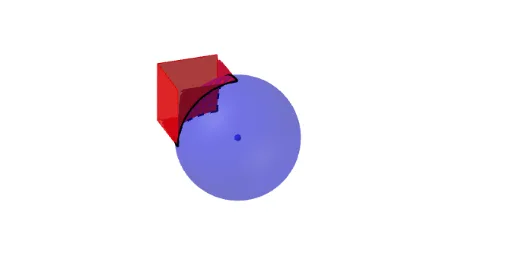
本范例展示了立方体与其内切球的比较。涉及的核心数学概念包括立体几何和解析几何。通过使用Surface, Rotate, Sphere, Translate, Line, Polygon, CurveCartesian, Mirror, Plane等GeoGebra命令,可以构造出立方体及其内切球。适合初中及以上学生或教师使用。
GeoGebra 命令及参数
Surface((t, (s * (1 - sin(acosd(t)))), 0), t, 0, 1, s, 0, 1) → supRotate(sup, (-(90°)), yAxis) → sup2Sphere((0, 1, 0), 1) → esfTranslate(Rotate[sup, (-(90°)), xAxis], Vector[(0, 1, 1)]) → sup3Line(PCentro, PCentro + (0, 0, 1)) → rPolygon({(1, 0, 0), (0, 0, 0), (0, 0, 1), (1, 0, 1)}) → Cara1CurveCartesian(PCentro + (0, (-cos(t)), sin(t)), t, 0, π / 2) → c2Polygon({(1, 0, 0), (1, 1, 0), (1, 1, 1), (1, 0, 1)}) → Cara2Surface(c2, 90°, r) → sMirror(capa1, PCentro) → capa2Polygon((1, 0, 1), (1, 1, 1), (1, 1, 1), (1, 0, 1)) → Cara3, f, g, h, iMirror({Cara1, Cara2, Cara3}, PCentro) → capa2bPlane(x = 0) → Plano1Plane(z = 0) → Plano2Mirror(capa2b, Plano1) → capa2cPlane(y = 1) → Plano3Mirror(capa2b, Plano2) → capa2dMirror(capa2b, Plano3) → capa2eCurveCartesian(PCentro + (cos(t), 0, sin(t)), t, 0, π / 2) → c21CurveCartesian(PCentro + (cos(t), (-sin(t)), 0), t, 0, π / 2) → c22