
函数图像在 x 轴上下方的定积分面积计算
几何画板及绘图内容加载中,请稍等……
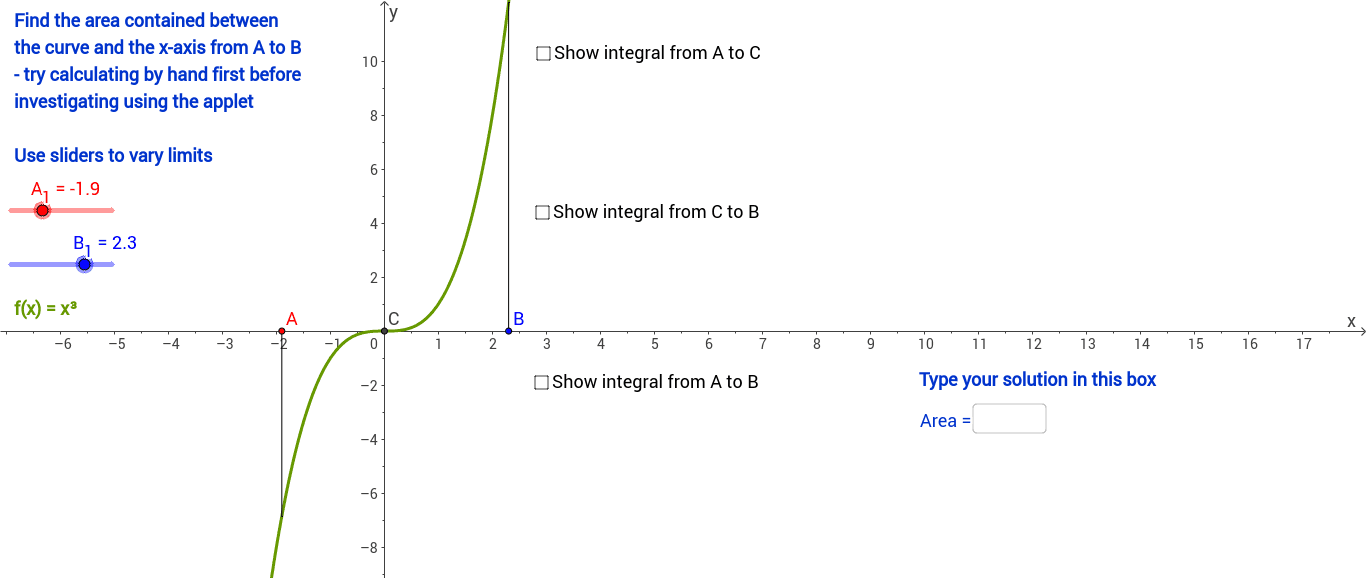
本范例演示函数图像与 x 轴围成区域在 x 轴上方和下方的面积计算过程。核心数学概念涉及定积分的几何意义、有向面积以及函数正负值对积分结果的影响。作图要点包括使用 Integral 命令计算积分值,利用 Intersect 工具确定交点,通过 If 条件语句区分正负区间,并结合 Text 对象动态显示数值结果。该工具适合高中或大学微积分初学者,用于直观理解定积分与几何面积之间的区别与联系。
GeoGebra 命令及参数
Integral(f_1, A_1, B_1) → integralABIntersect(f_1, xAxis, 1) → CIntegral(f_1, x(A), x(C)) → IntegralAtoCIntegral(f_1, x(C), x(B)) → IntegralCtoBSegment(A, AA) → d_1Segment(B, BB) → e_1Text(("f(x) = " * f_1)) → FunctionIntegral(fneg, x(A), x(B)) → IntnegIntegral(fpos, x(A), x(B)) → IntposText("Correct") → text1Text("Incorrect") → text2Text(AreaAB) → text3Textfield(text4) → InputBox1If(Textfield[] ≟ "", 0, 1) → aIf(text4 ≟ "", 0, If[text4 ≟ text3, 1, 2]) → bText("Type your solution in this box") → text5