
Writing Linear Equations (I)
Loading the math board and drawing, please wait…
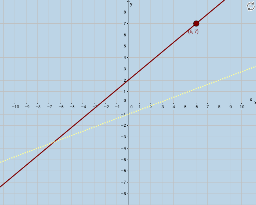
This example demonstrates how to write linear equations for given graphs. Core math concepts include standard form of linear equations and slope calculation. Interactive constructions using GeoGebra commands like Sequence, Union, RandomElement, Intersect, Line, Segment, Polygon, Textfield, FractionText, Slope are employed to show the relationship between equations and graphs. Suitable for middle school and above mathematics education, helping students understand the composition and application of linear equations.
GeoGebra Commands & Parameters
Sequence(i, i, -10, -1, 1) → denomlistaSequence(i, i, 1, 10, 1) → denomlistbUnion(denomlista, denomlistb) → denomlistSequence(i, i, -8, 8, 1) → blistRandomElement(blist) → bSequence(i, i, -8, 8, 1) → numlistRandomElement(numlist) → riseRandomElement(denomlist) → runIntersect(a, x = 0) → ASequence(i, i, -8, y(A), 1) → y_aSequence(i, i, y(A) + 1, 8, 1) → y_bSequence(i, i, -10, x(A) - 1, 1) → x_aSequence(i, i, x(A) + 1, 10, 1) → x_bLine(D, A) → cSegment(C, A) → dSegment(C, D) → ePolygon(D, C, A) → poly1, a_1, d_1, c_1Textfield(mguess) → InputBox1Textfield(bguess) → InputBox2FractionText(mguess) → text4Slope(c) → iLine(D, A) → l
AI Drawing Prompt Reference
Draw a linear equation graph demonstrating standard form and slope calculation. Start by plotting the coordinate axes and origin, then randomly generate a point and draw a line through it. Select two points on the line, connect them to form a triangle. Label the slope and y-intercept of the line and include input boxes for users to guess these values.
The prompt above was compiled from the original drawing commands and is for reference only.