
Writing Linear Equations Given 2 Points (y-int not an integer)
Loading the math board and drawing, please wait…
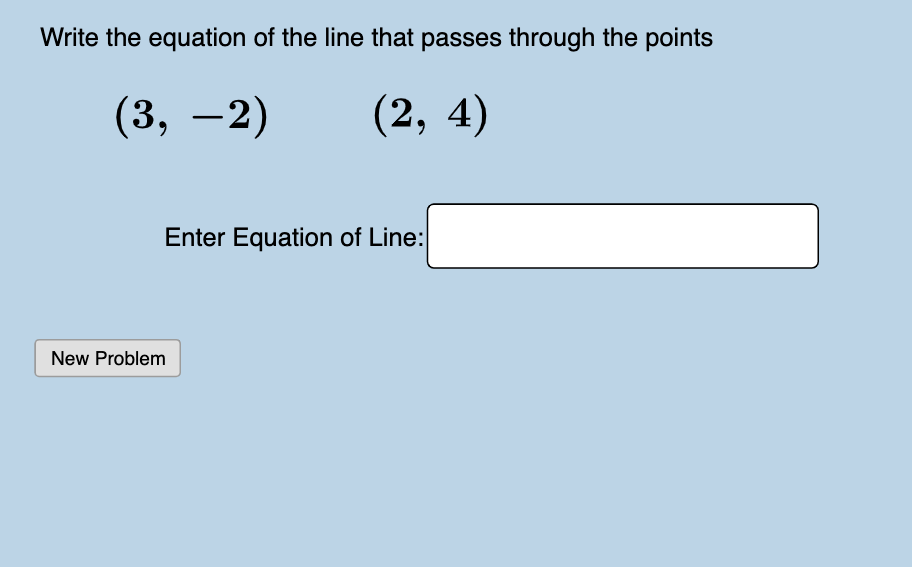
This example demonstrates how to write a linear equation given two points, where the y-intercept is not an integer. Key mathematical concepts include linear equations and functions. Using GeoGebra commands such as Sequence, RandomElement, and Union, it generates practice problems with feedback. Suitable for middle school and above students to learn the construction and application of linear equations.
GeoGebra Commands & Parameters
Sequence(i, i, -10, 10, 1) → ylist, {-10, -9, -8, -7, -6, -5, -4, -3, -2, -1, 0, 1, 2, 3, 4, 5, 6, 7, 8, 9, 10}Sequence(i, i, -10, 10, 1) → xlist, {-10, -9, -8, -7, -6, -5, -4, -3, -2, -1, 0, 1, 2, 3, 4, 5, 6, 7, 8, 9, 10}RandomElement(xlist) → aSequence(i, i, a + 1, 10, 1) → xlist2, {4, 5, 6, 7, 8, 9, 10}Sequence(i, i, -10, a - 1, 1) → xlist1, {-10, -9, -8, -7, -6, -5, -4, -3, -2, -1, 0, 1, 2}Union(xlist1, xlist2) → list1RandomElement(list1) → cRandomElement(ylist) → bRandomElement(ylist) → dFractionText(e) → text1Textfield(i) → InputBox1FractionText(g(0)) → text8
AI Drawing Prompt Reference
Draw a coordinate plane with integer grid lines from -10 to 10 on both axes. Randomly select two points with different x-coordinates, and display their coordinates. Draw a straight line passing through these two points, ensuring its y-intercept is not an integer. Show the y-intercept as a fraction. Place an input box where the user can enter the equation of the line. Provide feedback indicating whether the entered equation is correct or not. The figure should include the axes, grid, two labeled points, the line, the input box, and feedback text.
The prompt above was compiled from the original drawing commands and is for reference only.