
Writing Equations for Horizontal and Vertical Lines
Loading the math board and drawing, please wait…
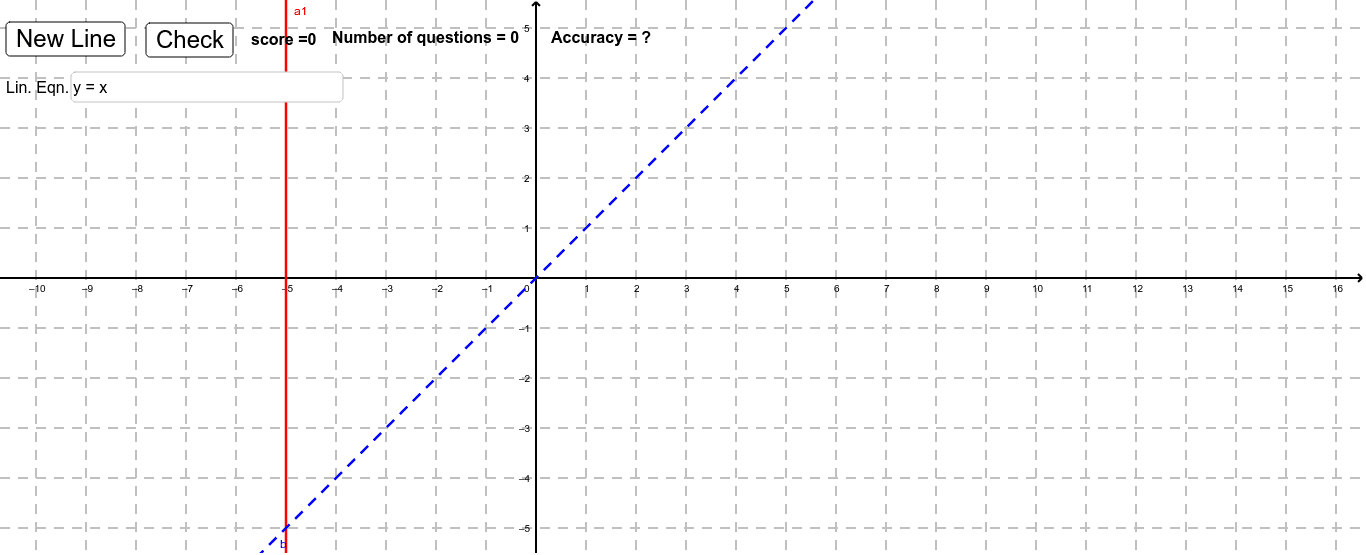
This interactive GeoGebra example demonstrates how to write equations for horizontal and vertical lines in the coordinate plane. It randomly presents line-related problems and asks students to enter equations such as y = c for horizontal lines or x = c for vertical lines, reinforcing the relationship between equations, graphs, and axis-parallel lines. The construction uses Random and RandomElement to generate questions or parameters, Text and Textfield for instructions and input areas, and objects such as sameline1, sameline2, inputBox1, button1, button2, check, correct, Incorrect, score, and accu to provide feedback and track accuracy. It is suitable for middle-school or early high-school coordinate geometry, graphing practice, and formative assessment.
GeoGebra Commands & Parameters
Random(-5, 5) → vRandomElement({1, 2}) → rText(("score =" * score)) → text1Textfield(b) → inputBox1Text(("Number of questions = " * problems)) → questionsText(("Accuracy = " * accu)) → accur
AI Drawing Prompt Reference
Draw horizontal and vertical lines with equations in a coordinate plane, randomly generate problems showing equations like y=c or x=c, ask users to input answers, display real-time score and accuracy, use text boxes for input and buttons for submission, provide dynamic feedback on correctness.
The prompt above was compiled from the original drawing commands and is for reference only.