
Writing and Graphing Proportional Relationships
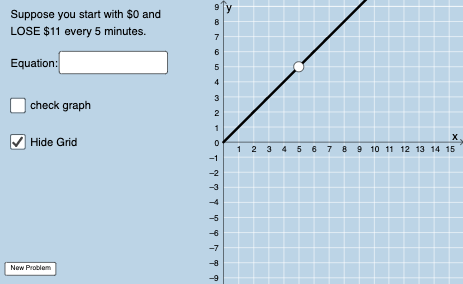
Loading the math board and drawing, please wait…
In collections
Proportional Relationships
This example demonstrates how to create and visualize proportional relationships using GeoGebra, focusing on linear functions and their graphical representations. Key mathematical concepts include proportionality, linear equations, function graphs, and coordinate geometry. Construction involves using commands like Union, Sequence, Slope, and objects such as InputBox1 to build interactive graphics. Suitable for middle or high school mathematics education to help students grasp the connection between proportional relationships and function graphs.
GeoGebra Commands & Parameters
Union(Sequence[-20, -1], Sequence[1, 20]) → numlistSequence(1, 10) → denomlistSequence(-20, 20) → blistSequence(11, 50) → nFractionText(s) → text1Denominator(s) → aTextfield(g) → InputBox1Sequence(i, i, 1, 20, 1) → kseqRandomElement(kseq) → kSequence((a * i), i, 5, 75, 1) → deonm2listRandomElement(deonm2list) → chosenansPointIn(x ≥ 0) → APointIn(x ≥ 0) → BSlope(eq1) → cIntersect(eq1, x = 0) → CLine(A, B) → f_1
AI Drawing Prompt Reference
Draw a graph of a proportional relationship with two line segments A and B, and their slope. First, create a sequence of positive and negative integers, then generate a series of fraction texts using these sequences, and use an input box to select a random number. Next, draw line segments A and B, calculate their slope, and determine the line f_1 by their intersection.
The prompt above was compiled from the original drawing commands and is for reference only.