
Writing and Graphing Linear Functions (1)
Loading the math board and drawing, please wait…
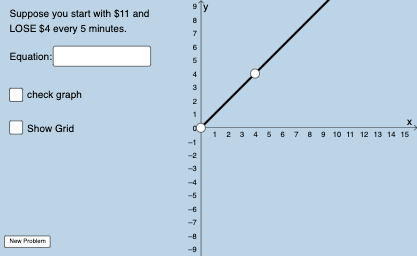
This GeoGebra worksheet demonstrates how to write and graph a linear function in slope‑intercept form. Students input values for slope and intercept, and the applet uses the Slope, Line, and Intersect commands to display the line, compute its slope and intercept, and find the intersection with another line. Random integers are generated with Sequence and RandomElement, and fractions are formatted using FractionText and Denominator to illustrate rational numbers. Interactive InputBoxes and a button allow learners to check their answers in real time. Suitable for middle‑school and early high‑school algebra, the activity reinforces concepts of linear equations, coordinate geometry, and function graphing.
GeoGebra Commands & Parameters
Union(Sequence[-20, -1], Sequence[1, 20]) → numlistSequence(1, 10) → denomlistSequence(-20, 20) → blistSequence(11, 50) → nRandomElement(blist) → bFractionText(s) → text1Denominator(s) → aTextfield(g) → InputBox1Sequence(i, i, 1, 20, 1) → kseqRandomElement(kseq) → kSequence((a * i), i, 5, 75, 1) → deonm2listRandomElement(deonm2list) → chosenansPointIn(x ≥ 0) → APointIn(x ≥ 0) → BSlope(eq1) → cIntersect(eq1, x = 0) → CLine(A, B) → f_1
AI Drawing Prompt Reference
Draw a graph of a linear function to demonstrate the concept of slope and intercept. The graph should include a line, an input box for entering slope and intercept, and a button for real-time checking. The line should be calculated from the input values and display its slope and intercept. The graph should be suitable for middle school and early high school students to help them understand linear equations and coordinate geometry.
The prompt above was compiled from the original drawing commands and is for reference only.