
Write Absolute Value Functions from Graphs
Loading the math board and drawing, please wait…
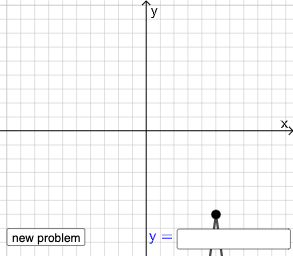
This example demonstrates how to write absolute value functions from graphs. Key mathematical concepts include absolute value functions and their graph characteristics. Using GeoGebra commands such as Point, Line, Vector, Polygon, etc., the absolute value function graph can be constructed. Suitable for students from middle school and above.
GeoGebra Commands & Parameters
Point(Segment[(h + 1, y(C) + 10), (h + 1, y(C) - 10)]) → DLine(A, B) → fVector(A, C) → uPolygon(A, C, B) → t1, b, a_1, cSegment(A, C) → h_{1}Vector(C, D) → vVector((h, 0), A) → wVector((0, 0), (h, 0)) → jRandomElement({-8, -7, -6, -5, -4, -3, -2, -1, 1, 2, 3, 4, 5, 6, 7, 8}) → nRandom(-8, 8) → oRandom(-8, 8) → pIf(h ≟ o, "Horizontal shift is correct!", "Horizontal shift is not correct.") → text9If(n ≟ rise, "Vertical stretch is correct!", "Vertical stretch is not correct.") → text10If(p ≟ y(A), "Vertical shift is correct!", "Vertical shift is not correct.") → text11Textfield(s) → InputBox1
AI Drawing Prompt Reference
Draw an absolute value function graph with points A and C, draw a line f through A and C, then draw a vector u from A to C, followed by a quadrilateral t1, b, a_1, c with A, C, and B as vertices, then draw a line segment h_1 from A to C, next draw a vector v from C to D, then draw a vector w from (h, 0) to A, and finally draw a vector j from the origin to (h, 0).
The prompt above was compiled from the original drawing commands and is for reference only.