
Walk the Line - Adding/Subtracting Integers
Loading the math board and drawing, please wait…
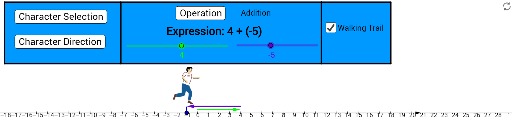
This example visually demonstrates the concept of adding and subtracting integers. It involves key mathematical concepts such as integers, vectors, and geometric construction. Using GeoGebra commands like Point, Vector, Segment, etc., users can intuitively understand the geometric meaning of integer addition and subtraction. Suitable for students from upper elementary to middle school.
GeoGebra Commands & Parameters
Point(xAxis) → APoint(xAxis) → BPoint(xAxis) → CVector(C, A) → uVector(C, B) → vIf(a ≟ 0, (Starting - Walk, 0), (Starting + Walk, 0)) → FIf(directionA ≟ 0, 1, 0) → DirectionPoint(xAxis) → OPoint(xAxis) → QPoint(xAxis) → RVector(Q, R) → zPoint(xAxis) → D_3Point(xAxis) → M_4Point(xAxis) → N_4Vector(M_4, N_4) → a_1Segment(U_4, U_4 + (0, 0.7)) → d_1Segment(U_4, U_4 + (0, 0.7)) → e_1If(a ≟ 0, (Starting - Walk, 0.8), (Starting + Walk, 0.8)) → WalkStopVector(WalkStart, WalkStop) → f_1Vector((0, 0.4), WalkStart + (0, -0.4)) → h_1Polygon(ResetPolyPt, ResetPolyPt + (2, 0), ResetPolyPt + (2, 1), ResetPolyPt + (0, 1)) → resetPoly, resetPolySegB, resetPolySegR, resetPolySegT, resetPolySegLSequence(Segment[(i, 0.14), (i, -0.14)], i, -15, 20, 1) → hashTopsPoint(xAxis) → W_4OrthogonalLine(W_4, xAxis) → fPoint(f) → Z_4OrthogonalLine(Z_4, f) → gPoint(f) → A_5OrthogonalLine(A_5, f) → hPoint(h) → B_5OrthogonalLine(B_5, h) → iPoint(h) → C_5OrthogonalLine(C_5, h) → jIntersect(g, i) → D_5Intersect(g, j) → E_5Point(h) → F_5OrthogonalLine(F_5, g) → kIntersect(g, k) → G_5Polygon(A_5, B_5, D_5, Z_4) → poly1, a_5, b_5, d_5, z_4Polygon(B_5, C_5, E_5, D_5) → poly2, b_1, c_5, e_5, d_2Polygon(C_5, F_5, G_5, E_5) → poly3, c_1, f_5, g_5, e_2
AI Drawing Prompt Reference
Draw a graph to demonstrate the concept of adding and subtracting integers using vectors and geometric constructions. Start by plotting points A, B, C on the x-axis and creating vectors u and v. Then, mark point F on the x-axis based on the integer a and determine the direction. Plot points O, Q, R and vector z. Next, mark points D_3, M_4, N_4 on the x-axis, create vector a_1, and draw line segments d_1 and e_1. Based on the value of a, mark point WalkStop and create vectors f_1 and h_1. Finally, draw several squares and triangles to illustrate the geometric process of integer addition and subtraction.
The prompt above was compiled from the original drawing commands and is for reference only.