
Cross Section Drawing - Prism
Loading the math board and drawing, please wait…
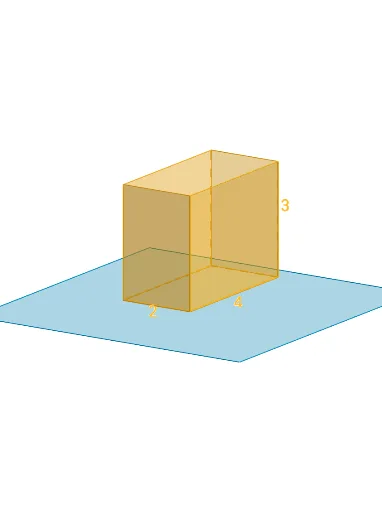
This example demonstrates how to dynamically interact and draw cross sections of a prism. Key math concepts include prism structure, cross-section geometry, geometric transformations (translation, rotation), and analytical geometry. Construction highlights from the summary involve commands like Polygon, PointIn, Translate, Rotate, Prism, Plane, IntersectPath, and OrthogonalLine. Suitable for high school solid geometry instruction to understand the relationship between cross-sections and original geometric bodies, fostering spatial reasoning skills.
GeoGebra Commands & Parameters
Polygon(B + (-2, -2), B + (2, -2), B + (2, 2), B + (-2, 2)) → poly3, e, f, g, iPointIn(poly3) → CTranslate((0, 0, 0), Vector[B, C]) → APolygon(A + (-4, -4), A + (4, -4), A + (4, 4), A + (-4, 4)) → poly1, a, b, c, dRotate(Rotate[Translate[poly1, Vector[A, A + (0, 0, h)]], (90° * s), A + (0, 0, h), yAxis], (90° * t), A, zAxis) → poly2Prism(Polygon[(1, 2, 0), (1, -2, 0), (-1, -2, 0), (-1, 2, 0)], 3) → m, M, edge1, edge2, edge3, edge4, edge5, edge6, edge7, edge8, N, Q, R, face1, face2, face3, face4, face5Rotate(D, 120°, (0, 0, 0)) → EPolygon(D, E, 3, xOyPlane) → poly4, j, k, l, FPointIn(poly2) → GPointIn(poly2) → HPointIn(poly2) → IPlane(G, I, H) → nIntersectPath(n, m) → poly6, poly5, r, a_1, b_1, c_1, K, L_1, O, P, J, L, p, qRotate(m, 0, zAxis) → m'Rotate(m, 0, zAxis) → m'_1OrthogonalLine(A, n) → d_1