
Volume of Prisms Exploration II
Loading the math board and drawing, please wait…
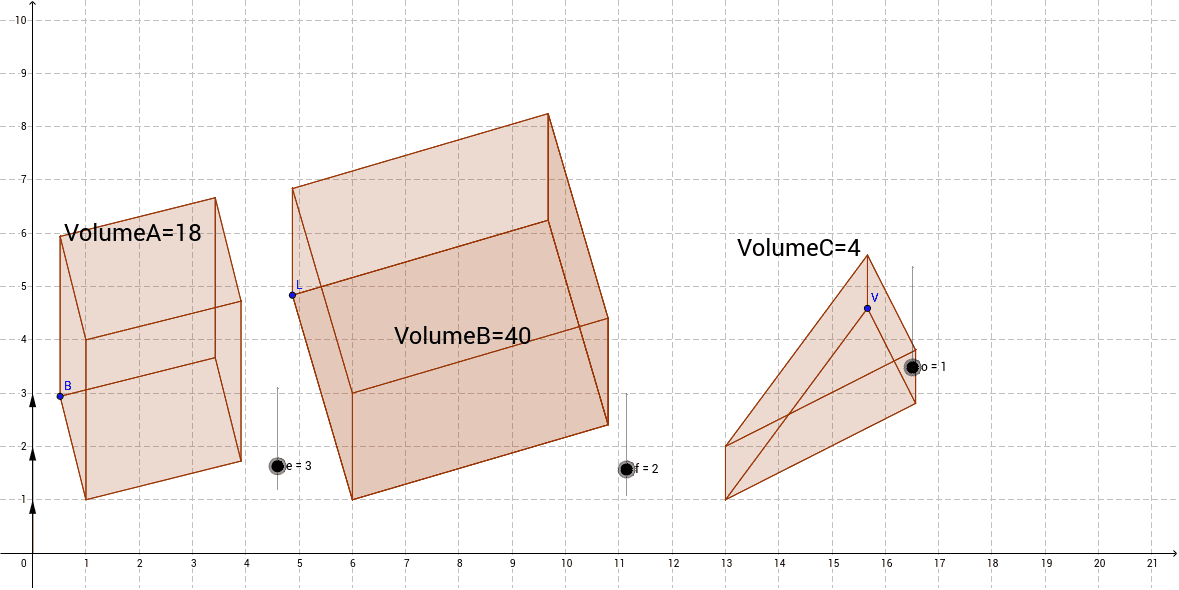
This example demonstrates the exploration of prism volume, involving concepts such as prisms, triangles, and matrices. Using GeoGebra commands like Point, Polygon, Vector, etc., it dynamically constructs prisms and observes changes in volume. Suitable for high school mathematics education and learning.
GeoGebra Commands & Parameters
Point(Circle[A, 2]) → BPolygon(A, B, C, D) → poly1, a, b, c, dVector(E, F) → uTranslate(A, v) → A'Translate(B, v) → B'Translate(C, v) → C'Translate(D, v) → D'Polygon(A', B', C', D') → poly1', a', b', c', d'Polygon(B', B, A, A') → poly2, b'_1, b_1, a_1, a'_1Intersect(c', b') → GIntersect(c, b) → HPolygon(B', G, H, B) → poly3, b'_2, g, h, b_2Intersect(d, c) → IIntersect(d', c') → JPolygon(G, H, I, J) → poly4, g_1, h_1, i, jPolygon(J, I, A, A') → poly5, j_1, i_1, a_2, a'_2Point(Circle[K, 4]) → LPolygon(K, L, M, N) → poly6, k, l, m, nPoint(xAxis) → OVector(O, P) → wTranslate(K, z) → K'Translate(L, z) → L'Translate(M, z) → M'Translate(N, z) → N'Polygon(K', L', M', N') → poly6', k', l', m', n'Polygon(L', L, K, K') → poly7, l'_1, l_1, k_1, k'_1Intersect(m', l') → QIntersect(m, l) → RPolygon(L', Q, R, L) → poly8, l'_2, q, r, l_2Point(m') → SIntersect(n, m) → TPolygon(R, Q, S, T) → poly9, r_1, q_1, s, tPolygon(T, R, L, K) → poly10, t_1, r_2, l_3, k_2Polygon(K', S, T, K) → poly11, k'_2, s_1, t_2, k_3Point(Circle[U, 4.47213595499958]) → VPolygon(U, V, W) → poly12, w_1, u_1, v_1Point(xAxis) → ZVector(Z, A_1) → pTranslate(U, z_1) → U'Translate(V, z_1) → V'Translate(W, z_1) → W'Polygon(U', V', W') → poly12', w', u', v'Intersect(v_1, u_1) → B_1Intersect(v', u') → C_1Polygon(U', U, B_1, C_1) → poly13, u'_1, u_2, b_3, c_1Polygon(U', U, V, V') → poly14, u'_2, u_3, v_2, v'_1Polygon(V', V, B_1, C_1) → poly15, v'_2, v_3, b_4, c_2Polygon(R, Q, S, T) → poly16, r_3, q_2, s_2, t_3
AI Drawing Prompt Reference
Draw a complex 3D shape composed of multiple quadrilaterals and triangles. Start by creating a circle and taking point B from it. Use points A, B, C, and D to form a quadrilateral. Then, translate points A, B, C, and D to A', B', C', and D' respectively, and form another quadrilateral with these points. Continue to create quadrilaterals and triangles using intersections and vectors, ultimately forming a complex 3D shape.
The prompt above was compiled from the original drawing commands and is for reference only.