
Volume of a Triangular Prism by MrVisconti
Loading the math board and drawing, please wait…
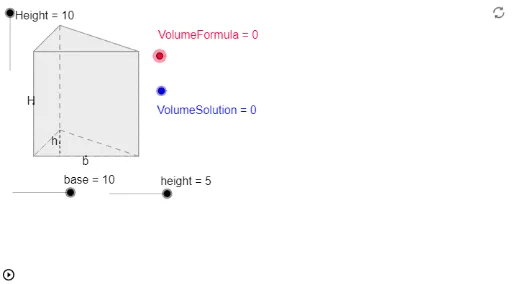
This example demonstrates how to calculate the volume of a triangular prism using GeoGebra, involving core concepts like volume formulas, 3D vectors, coordinate geometry, and matrix operations. Key GeoGebra commands and objects used include Dilate, Vector, Circle, Line, Intersect, Translate, Midpoint, Polygon, Segment, If, and AngularBisector. Suitable for high school students and educators for learning and teaching purposes.
GeoGebra Commands & Parameters
Dilate(F, Height, E) → GVector(E, G) → uDilate(I, base, H) → LVector(H, L) → vCircle(J, height) → gLine(J, K) → hIntersect(g, h, 1) → MVector(J, M) → wTranslate(A, v) → BCircle(J, 1) → dMidpoint(A, B) → CMidpoint(C, A) → DTranslate(D, Vector[w / 2]) → NPolygon(A, N, B) → P, b, a, nTranslate(A, u) → A'Translate(N, u) → N'Translate(B, u) → B'Polygon(A', N', B') → P', b', a', n'Polygon(A', N', N, A) → Q, a'_1, n'_1, n_1, a_1Polygon(N', N, B, B') → R, n'_2, n_2, b_1, b'_1Polygon(B', B, A, A') → S, b'_2, b_2, a_2, a'_2Segment(N, D) → cMidpoint(A, A') → OMidpoint(N, D) → TIf(VolumeFormula ≟ 1, U) → ZIf(VolumeSolution ≟ 1, V) → A_1AngularBisector(A, N, B) → eAngularBisector(B, A, N) → fIntersect(f, e) → WTranslate(W, u) → Y
AI Drawing Prompt Reference
Draw a triangular prism by first creating the triangular base, then generating the two bases through translation and rotation. Connect corresponding vertices to form the prism's sides, and finally calculate and display the prism's volume.
The prompt above was compiled from the original drawing commands and is for reference only.