
Volume of a Rectangular Prism: Interactive Exploration Worksheet
Loading the math board and drawing, please wait…
In collections
Solid figures
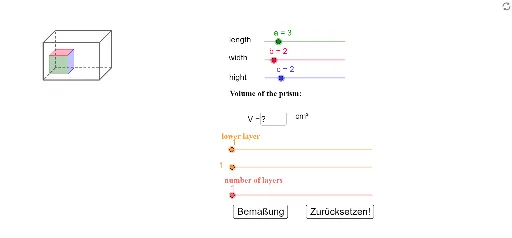
① This GeoGebra example is an interactive worksheet designed for students to independently explore the volume formula of a rectangular prism (cuboid), allowing dynamic adjustment of length, width, and height to observe how volume changes. ② The core mathematical concept is solid geometry, specifically the volume formula V = l × w × h for a rectangular prism, involving the product of three dimensions in 3D space. ③ Construction highlights: Based on the construction summary, the worksheet uses GeoGebra commands such as Segment, Sequence, Midpoint, Vector, Function, and Textfield, creating multiple points (e.g., A, B, C, D), segments (a, b, c), auxiliary objects (Bu, Au, Du), lists (Liste1, Liste2, Liste3), and text elements (Text2, Text3, Text6) to build an interactive cuboid model and display the volume calculation process. ④ It is suitable for middle school or early high school students learning introductory solid geometry, and can be used as a classroom demonstration tool or for self-paced practice, where students input different dimensions and verify their answers to reinforce the concept of volume.
GeoGebra Commands & Parameters
Segment(A, B) → dSegment(B, D) → eSegment(D, C) → fSegment(C, A) → gSegment(B, Bu) → hSegment(D, Du) → iSegment(Du, Bu) → jSegment(Bu, Au) → kSegment(Au, A) → lSegment(C, Cu) → m_1Segment(Cu, Du) → n_1Segment(Au, Cu) → pSequence(Sequence[Polygon[(x(Au) - (n * sk) + i - 1, y(Au) + j - 1 + (n * (-sk))), (x(Au) - (n * sk) + i, y(Au) + j - 1 + (n * (-sk))), (x(Au) - (n * sk) + i, y(Au) + j - 1 + 1 + (n * (-sk))), (x(Au) - (n * sk) + i - 1, y(Au) + j - 1 + 1 + (n * (-sk)))], i, 1, m], j, 1, o) → Liste1Sequence(Sequence[Polygon[(x(Au) - (j * sk) + i - 1, y(Au) - (j * sk) + o), (x(Au) - (j * sk) + i, y(Au) - (j * sk) + o), (x(Au) - ((j - 1) * sk) + i, y(Au) + o - ((j - 1) * sk)), (x(Au) - ((j - 1) * sk) + i - 1, y(Au) - ((j - 1) * sk) + o)], i, 1, m], j, 1, n) → Liste2Sequence(Sequence[Polygon[(x(Au) - (j * sk) + m, y(Au) - (j * sk) + k), (x(Au) - ((j - 1) * sk) + m, y(Au) + k - ((j - 1) * sk)), (x(Au) - ((j - 1) * sk) + m, y(Au) - ((j - 1) * sk) + k - 1), (x(Au) - (j * sk) + m, y(Au) + k - 1 - (j * sk))], j, 1, n], k, 1, o) → Liste3Segment(Du1, Du2) → qMidpoint(Du1, Du2) → EMidpoint(E1, E) → FVector(F, E) → uVector(F, E1) → vSegment(E2, E3) → rMidpoint(Bu1, Bu3) → Bu2Midpoint(E, Bu2) → GVector(G, Bu2) → wVector(G, E) → zSegment(Bu3, Bu1) → sSegment(Bu5, Bu6) → tSegment(Bo5, Bo6) → a_1Midpoint(Bu5, Bu6) → HMidpoint(Bo5, Bo6) → IMidpoint(H, I) → JVector(J, I) → u_1Vector(J, H) → v_1Function(-8.5, -10, -3.9) → f3Function(-13, -10, -3.9) → f4Function(-8.45, -10, -3.9) → f5Function(-12.95, -10, -3.9) → f6Textfield(L_F) → Textfeld1
AI Drawing Prompt Reference
Create an interactive 3D rectangular prism with a rectangular base labeled A, B, C, D, and vertical edges extending upward to corresponding top vertices. Draw grid lines on the base and two adjacent side faces, composed of small squares, to visualize volume partitioning. Place three input fields beside the shape for entering length, width, and height, and display the computed volume. The scene is for teaching solid geometry, emphasizing adjustable dimensions and intuitive volume formula demonstration.
The prompt above was compiled from the original drawing commands and is for reference only.