
Volume Comparison: Prism & Pyramid with Same Base & Height
Loading the math board and drawing, please wait…
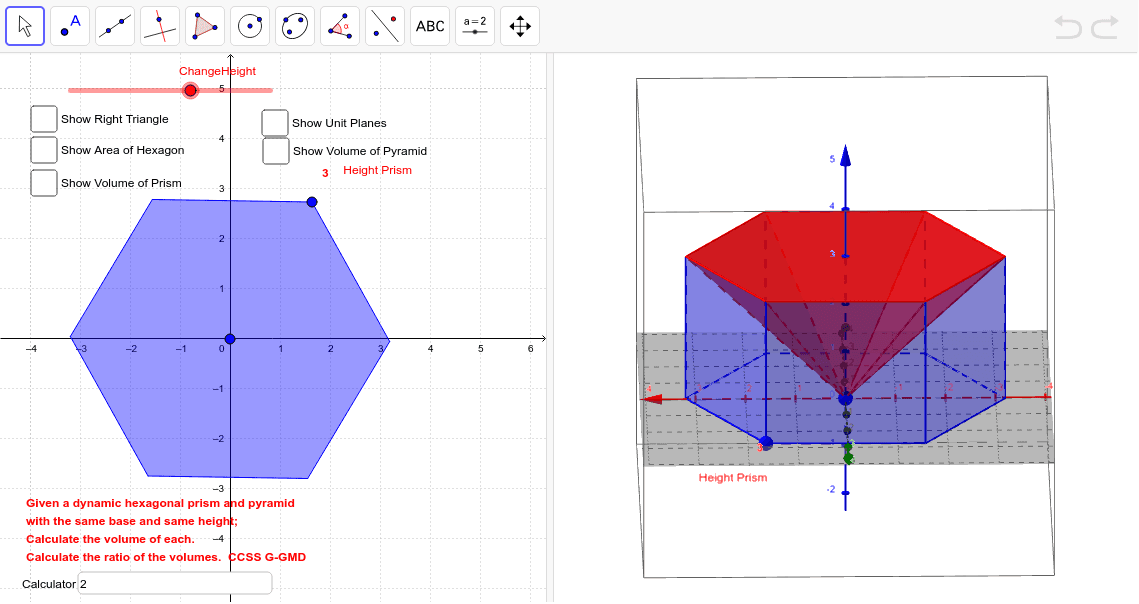
This example demonstrates the volume comparison between a prism and a pyramid with identical base area and height. Key math concepts include volume formulas, geometric properties, and spatial visualization. It utilizes GeoGebra commands like Circle, Segment, Intersect, Polygon, Plane, Mirror, Prism, Pyramid, etc., to construct the models. Suitable for high school students learning solid geometry to intuitively understand volume calculations and comparisons.
GeoGebra Commands & Parameters
Circle(center, B, xOyPlane) → cSegment(center, B) → fCircle(B, f) → dIntersect(d, c) → C, D, ,Circle(D, f, xOyPlane) → eCircle(C, f, xOyPlane) → gIntersect(e, c) → E, F, ,Intersect(g, c) → G, H, ,Circle(G, f, xOyPlane) → hIntersect(h, c) → I, J, ,Polygon(B, D, F, I, G, C) → poly1, b, d_1, f_1, i, g_1, c_1Plane(L, A, K) → aMirror(poly1, a) → hexagonPrism(hexagon, B) → HexPrism, M, face6, face2, CrossSection, edge1, edge2, edge3, edge4, edge5, edge6, edgeBM, N, edgeMN, edgeNO, edgeOP, edgePQ, edgeBQ, O, P, Q, face1, face3, face4, face5PointIn(CrossSection) → PointfaceBMNOPQVolume(HexPrism) → volumejPoint(HexPrism) → PointjPointIn(CrossSection) → PointCrossSectionPointIn(hexagon) → Pointpoly1'Text(PrismHeight, (x(B) + 0.2, y(B) + 0.5)) → text1Plane(R, a) → jPlane(S, a) → kPlane(T, a) → lPlane(U, a) → mPlane(V, a) → nMidpoint(edgeBQ) → WSegment(center, W) → pAngle(B, W, center, xOyPlane) → αTextfield(calc) → CalculatorPyramid(hexagon, center) → Pyramid, face7, edge10, edge11, edge12, face9, face10, face11, face12, face8, edge7, edge8, edge9Volume(Pyramid) → volumePyraPoint(Pyramid) → PointPyraSegment(B, W) → q