
Visualizing the Unit Circle
Loading the math board and drawing, please wait…
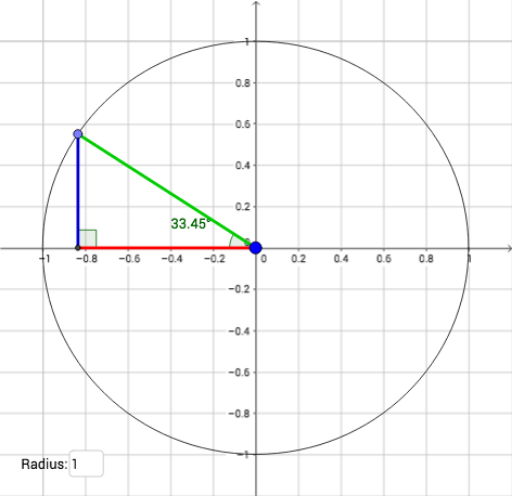
This example dynamically demonstrates the geometric properties of the unit circle and its relationship with trigonometric functions. It involves core math concepts like the definition of the unit circle, trigonometric functions (sin, cos), angles, and right triangles. The construction uses GeoGebra commands/objects such as Textfield, Circle, Point, Segment, and Angle. Suitable for high school students and teachers to understand the origin of trigonometric function graphs and the application of the unit circle.
GeoGebra Commands & Parameters
Textfield(a) → InputBox1Circle(A, B) → cPoint(c) → CSegment(A, D) → fSegment(C, D) → gSegment(C, A) → hAngle(C, D, A) → αAngle(D, A, C) → β
AI Drawing Prompt Reference
Draw a unit circle and mark a point on it. Draw a line segment from the center to the point, and another line segment from the point to the edge of the circle, forming a right triangle. Display the lengths of the two segments and the angle between them, as well as the two acute angles of the triangle. Use a slider to dynamically adjust the position of the point, showing the relationship between trigonometric values and angles.
The prompt above was compiled from the original drawing commands and is for reference only.