
Visualizing the Negative Binomial Distribution PMF
Loading the math board and drawing, please wait…
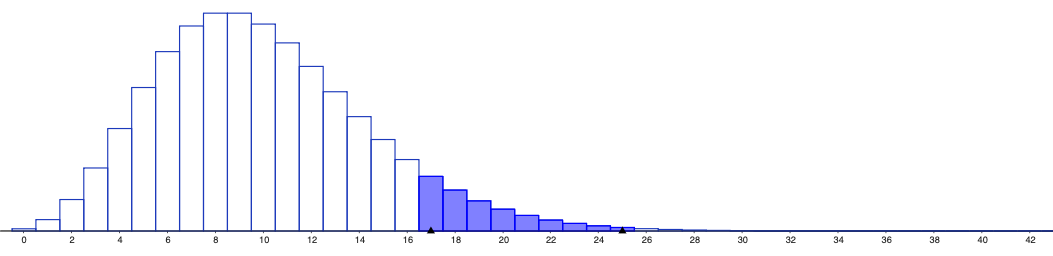
This example demonstrates how the Negative Binomial distribution’s probability mass function (PMF) changes with its parameters, using visual comparison to reveal differences in shape, skewness, and tail probabilities. Key mathematical ideas include parameterized discrete random variables, the definition and interpretation of the Negative Binomial model (commonly as the number of failures before the r-th success or the number of trials needed), and how varying parameters affects the probability assigned to each integer outcome. For construction in GeoGebra, no specific command list is provided in the source; the example should rely on GeoGebra’s probability/statistics functions to generate the discrete PMF values and plot them as points or bar-like graphical objects, typically with parameter inputs (e.g., r and p) that update the graph dynamically (often via sliders). Suitable for high school probability and statistics, introductory undergraduate probability, and classroom demos on discrete distributions and counting processes.
AI Drawing Prompt Reference
Plot the probability mass function of the negative binomial distribution, and observe changes in shape, skewness, and tail probabilities by adjusting parameters r and p. Use sliders to input parameters r and p, and dynamically generate discrete probability values to display as points or bar-like graphical objects.
The prompt above was compiled from the original drawing commands and is for reference only.