
Visualization of Constraints for Four or More Unique Numbers
Loading the math board and drawing, please wait…
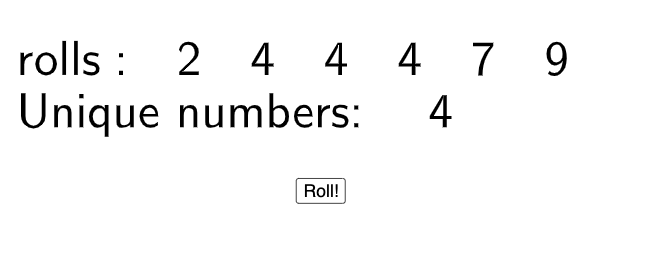
This GeoGebra example demonstrates how to randomly generate candidates, enforce a uniqueness constraint, and obtain four or more distinct numbers under given criteria. It highlights key ideas such as randomness (sampling), uniqueness filtering (Unique), the use of a length/metric (Length) to turn geometric or numeric quantities into comparable values, and inequality-based selection logic. Construction-wise, the script uses the GeoGebra commands Random and Unique to produce and filter values so duplicates are removed; Length converts relevant objects into measurable quantities; TableText outputs the resulting unique numbers as formatted table text. The interface relies on objects such as a, b, c, d, e, f, rolls, l1, g, along with text1, text2, and button1 to present results and trigger updates interactively. Suitable for secondary school students and introductory teaching on data handling, probability/statistics, and mathematically grounded constraints.
GeoGebra Commands & Parameters
Random(1, 6) → aRandom(1, 6) → bRandom(1, 6) → cRandom(1, 6) → dRandom(1, 10) → eRandom(1, 30) → fUnique(rolls) → l1Length(l1) → gTableText(Join[{{"rolls:"}, rolls}]) → text1TableText({"Unique numbers: ", g}) → text2
AI Drawing Prompt Reference
Create a single visual canvas that demonstrates constrained random sampling and uniqueness filtering. First generate several random integer candidates with ranges 1–6 (four values), plus one value from 1–10 and one from 1–30. Then apply a uniqueness filter to remove duplicates and keep a set of distinct roll outcomes. Convert the resulting unique set into a comparable measurable quantity using a length/metric idea. Finally, display two table-like text blocks: one showing the raw rolls and another showing the unique measurable numbers. Include an interactive button-style control so the displayed tables update together.
The prompt above was compiled from the original drawing commands and is for reference only.